What budget planning software does for an organization and how to choose a tool. Covers ClearPoint, FreshBooks and Centage Planning Maestro.
- List your budgeting requirements before booking demos; size, forecasting and scenario planning needs decide fit.
- Require integration with your accounting and financial systems so staff stop re-keying data.
- Check scalability, training and support before signing, so you do not outgrow the tool and switch again.
- Use the software to test scenarios and track spending against strategic goals, for example with a Budget vs. Actual Dashboard.
A budget kept in a static spreadsheet goes out of date as soon as conditions change. Budget planning software lets an organization build its budget, track spending against it and forecast what comes next, with the data in one place instead of scattered across files. This guide covers what the software does, a few options for organizations, how to choose between them and how to use the result for strategic decisions.
What is Budget Planning Software?
Budget planning software consolidates financial data, automates manual tasks such as data entry and categorization, and shows spending as it happens rather than in a month-end report. The features that separate a useful tool from a basic one are integration with your accounting and financial systems, real-time visibility into spending, forecasting and scenario planning, dashboards each team can tailor to its own needs, and an interface people outside finance can use. Spendesk stresses that dashboards and reports should be easy to understand for all users, not only finance professionals.
When the budget tool connects to accounting software, a CRM or an ERP, staff stop re-keying numbers and the errors that come with it. HashMicro names integration as a capability to check when evaluating budgeting software. Accounting packages such as QuickBooks, Xero and Sage connect with bank accounts, credit cards and other financial platforms, which gives a budget tool cleaner data to start from.
Velosio, an enterprise software reseller, made integration a condition of its search. It was not keen on scrapping its existing accounting and ERP systems, so it needed a system that would integrate with them. Less than five months after discovering ClearPoint, Velosio had finished integrating it with its Dynamics ERP system. Measures fed directly into ClearPoint, so people didn’t spend time digging for data because it was already up to date.
Budget Planning Software Options for Organizations
The right tool depends on what you need the budget to do. The three options below cover different needs, from basic small-business budgeting to complex forecasting to tying the budget to a strategic plan.
ClearPoint Strategy
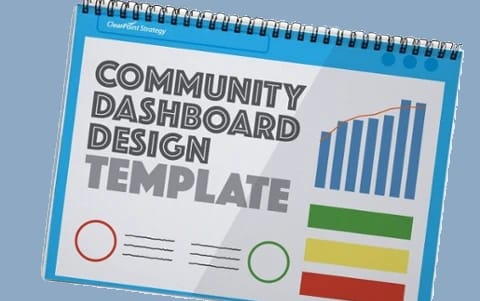
ClearPoint Strategy suits organizations that want the budget managed as part of strategic planning and execution. The platform lets you manage budgets alongside your strategic goals, tailor dashboards to each team, and show how budget decisions affect overall performance. A Budget vs. Actual Dashboard or a Project Budget Dashboard lets you review spending against targets each reporting cycle and adjust before an overrun lands.
FreshBooks
FreshBooks is accounting software with basic budgeting features. Spendesk lists it as a simple and affordable option for business budgeting, which makes it a fit for small businesses and freelancers. Organizations that need detailed planning and forecasting are likely to find it limiting.
Centage Planning Maestro
For larger organizations with complex financial planning needs, Centage Planning Maestro offers tools for advanced budgeting, forecasting and analysis. Spendesk also includes it in its list of business budgeting tools.
How to Choose the Right Software
Write down your requirements before booking demos. A small business tracking expenses needs something different from an organization managing budgets across several departments and projects, and basic expense tracking is a different purchase from forecasting and scenario planning. A large planning platform can be more than a small team needs, while a simple tool may not hold up in a complex organization.
Check scalability next. Your software should handle more data, more users and new feature demands as the organization grows, so you do not outgrow it and face a second migration. Spendesk highlights the importance of scalability for finance teams.
Velosio learned this the hard way. Spreadsheets that worked for one business unit and a handful of users could not align four business units, four scorecards and multiple users in a quarterly management process. In 2013 it tested a commercial solution but decided it wasn’t sufficiently scalable and couldn’t easily integrate metrics across business units, so it went back to Excel before trying again. When it trialed ClearPoint, CEO Jim Bowman and two colleagues tested how readily their Excel-based scorecards could be migrated. Within three days, the scorecards were built and populated.
Then look at implementation and support. Moving a team off spreadsheets goes more smoothly when the vendor offers training resources, responsive support and a clear implementation process. Before you sign, read user reviews on sites such as G2 and ask to speak with current customers, since both show strengths and weaknesses a product demo will not.
Push each demo off the happy path. Our guide to choosing strategy execution software suggests handing the vendor a few of your own measures and asking for a board-ready report during the call. Ask to see the view of every measure that has not been updated this cycle and who is responsible for it. And ask for a reference in your sector you can actually call.
Use the Software for Strategic Decisions
Once the software is in place, use it to forecast and test scenarios. Ask what the budget looks like if sales increase by 10%, or if expenses rise unexpectedly, and plan your response before either happens. Pigment describes how quick what-if scenarios help teams adapt when circumstances change.
Use it as well to track progress toward your strategic goals. If spending or results are off target, the data should show where and by how much, so you can adjust while there is still time. Cube Software notes that integration with existing systems and accurate, real-time data are key to getting a return on the investment. Review how your team uses the software at regular intervals, ask for feedback on what works and what does not, and change the setup when your needs change.
First National Community Bank (FNCB) in Pennsylvania shows what this looks like over time. Tom Lunney, Vice President, stresses linking the budget to the strategic plan: “they have to be married.” In one year the bank went from 155 long-term goals to 35, and he tests each one by asking: “Is the goal going to move the needle?” The bank’s planning cycle used to run in Excel spreadsheets on a shared drive. Now reminders go out on the first of each month, members have 15 days to update their goal progress, and Lunney manages the whole process alone.
Related Articles
Common questions
Why is budget planning software important for my organization?
Effective budget planning software streamlines financial management, improves forecasting accuracy, and empowers data-driven decision-making. It's not just about tracking numbers—it's about gaining a clear understanding of your financial health and aligning resources with your strategic goals. Think of it as a GPS for your finances, guiding you towards your destination with real-time data and insights.
What key features should I look for when choosing budget planning software?
Essential features include real-time data visibility, customizable dashboards, collaboration tools, forecasting and scenario planning capabilities, a user-friendly interface, and seamless integration with existing systems. The specific features you prioritize will depend on your organization's size, complexity, and budgeting needs. Just as a hiker chooses gear based on the terrain and weather conditions, you should select software that aligns with your specific requirements.
How much does budget planning software cost?
Pricing varies widely, from free basic versions to premium subscriptions and one-time purchases. Consider the value the software provides in relation to its cost. Does it offer a return on investment through improved efficiency, better decision-making, and increased financial control? At ClearPoint Strategy, we believe in transparent pricing that reflects the value our platform delivers.
How can I ensure a smooth implementation of new budget planning software?
Successful implementation involves clear goal setting, early team involvement, comprehensive training, and ongoing optimization. Think of it like learning a new hiking trail—a good map, experienced guide, and proper preparation can make all the difference. At ClearPoint, we provide personalized onboarding and ongoing support to ensure our clients get the most out of our platform.
What are some emerging trends in budget planning software?
AI and machine learning, predictive analytics, automated categorization, and enhanced security features are transforming the landscape of budget planning. These advancements empower businesses with greater accuracy, efficiency, and control over their financial resources. At ClearPoint, we're constantly exploring how these emerging technologies can enhance our platform and provide even greater value to our clients.