Kanban boards provide a visual way to track tasks, but when combined with ClearPoint Strategy software, they become a powerful tool for strategy management.
- Lay out strategic initiatives in To Do, In Progress, Testing and Completed columns. Teams see at a glance which projects are moving and which have stalled.
- Assign every card a specific owner. Clear responsibility keeps strategic projects from getting lost in the shuffle.
- Watch for cards piling up in one column. A pileup marks a bottleneck you can fix before it derails progress.
- Link board tasks to strategic goals and performance measures. Leadership sees real-time progress without separate reports or long email threads.
- Use the same boards to run strategy meetings and track risks. A ClearPoint demo shows the board linked to reporting.
What Is a Kanban Board?
Kanban is a visual workflow management system designed to track tasks and processes as they move through different stages. Originally developed for manufacturing, Kanban is now widely used in software development and business strategy to improve efficiency and accountability.
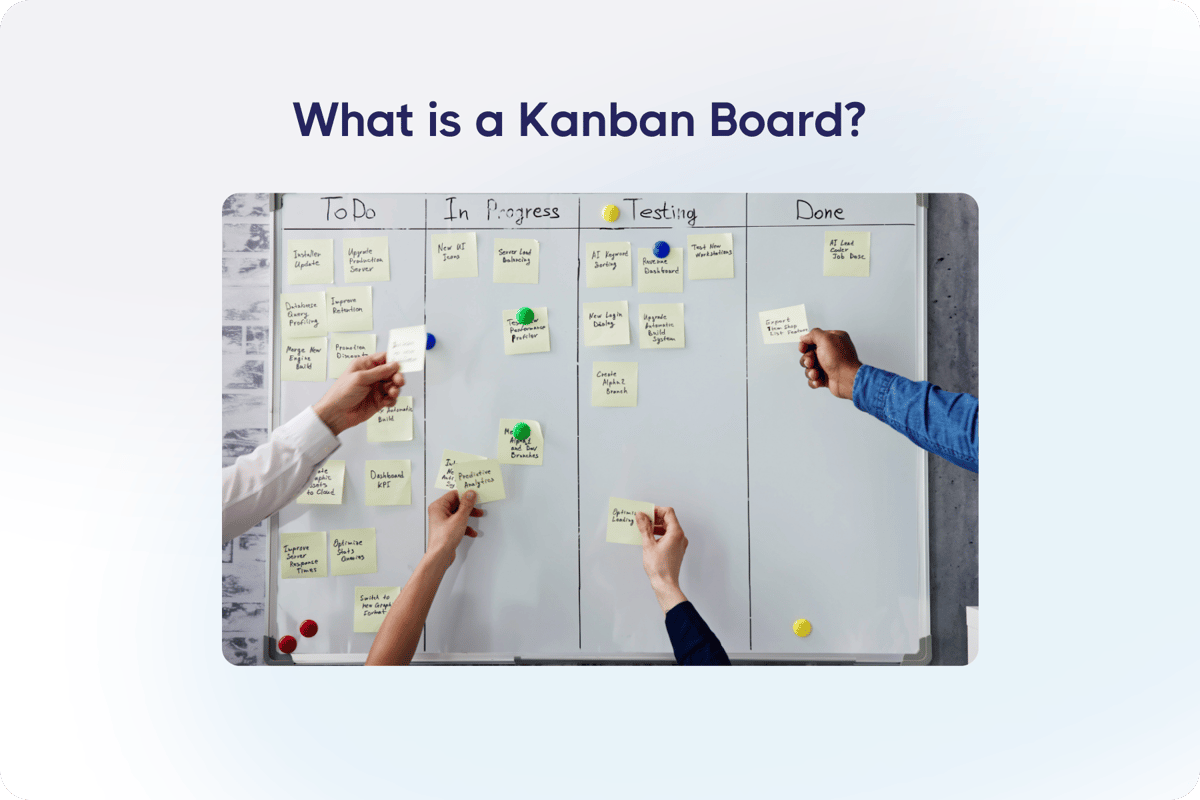
A traditional Kanban board consists of columns that represent different phases of work. For example:
- To Do – Tasks that need to be started
- In Progress – Tasks currently being worked on
- Testing – Tasks being reviewed or validated before completion
- Completed – Finished tasks
In its most basic form, Kanban helps track progress as tasks move from stage to stage. Combined with ClearPoint Strategy’s software, it also supports strategy management, project management, risk management, and even running more effective strategy meetings, all in one system.
Why Use Kanban for Strategy Management?
Many organizations struggle with tracking and executing their strategic plans. Spreadsheets and static reports can quickly become outdated, making it difficult to keep teams aligned. A Kanban board gives you a real-time view of progress, so strategic initiatives keep moving.
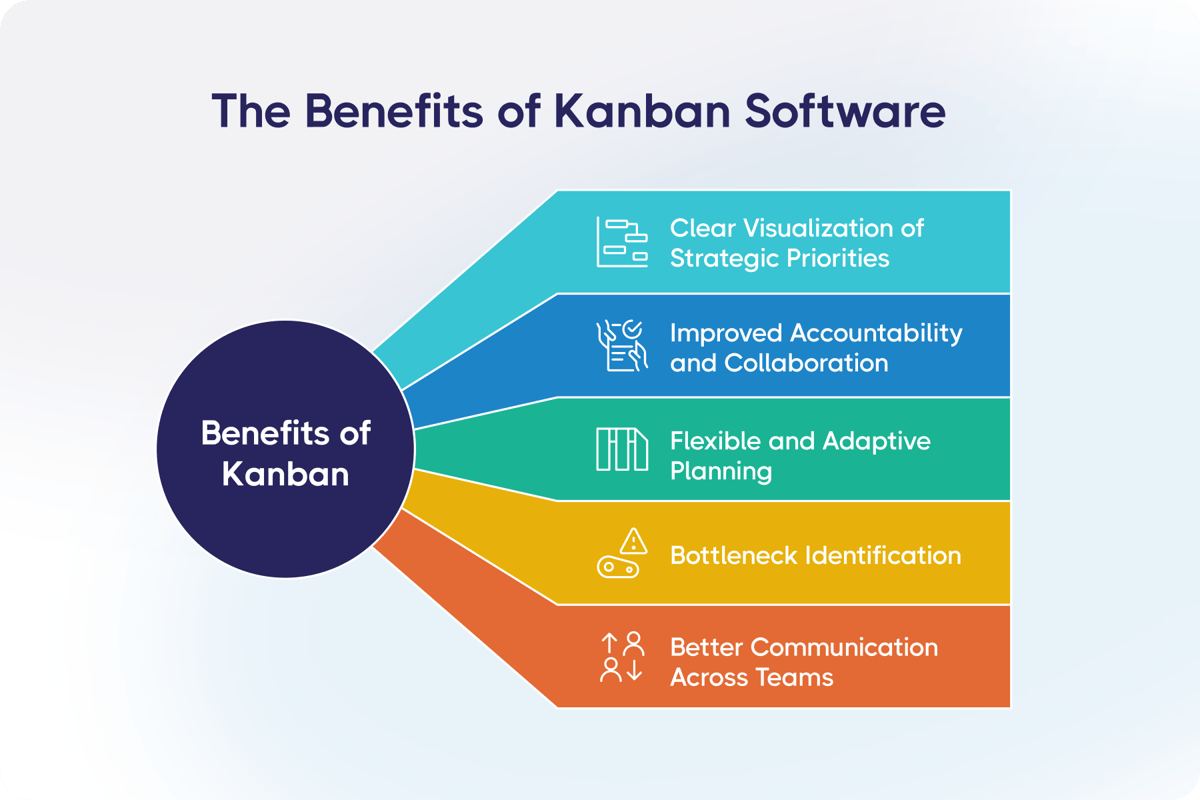
Here’s how Kanban improves strategy management:
1. Clear Visualization of Strategic Priorities
A Kanban board gives a real-time snapshot of your strategic initiatives. Instead of searching through reports or spreadsheets, teams see which projects are moving, which are stalled, and what needs attention now.
2. Improved Accountability and Collaboration
Each task on a Kanban board is assigned to a specific owner, making it clear who is responsible for what. Nobody has to guess, and strategic projects don’t get lost in the shuffle.
3. Flexible and Adaptive Planning
Unlike rigid project plans, Kanban is built to change. If priorities shift, teams adjust tasks and deadlines, and strategy execution stays responsive and aligned with organizational goals.
4. Bottleneck Identification
If tasks pile up in one stage, it’s a sign of a bottleneck. Kanban boards highlight delays so teams can fix issues early, before they derail progress.
5. Better Communication Across Teams
Kanban boards give teams one shared place to see updates, so you need fewer meetings and long email threads.
Two customers showed these benefits in practice. DC Thomson Media, the UK publisher, saw what happens without clear ownership. Its strategy team tracked action items in disconnected Excel documents, alongside spreadsheets with version control issues and formula errors. Leaders saw progress only once a month. DC Thomson then ran its meetings directly from ClearPoint, with real-time project updates and integrated action item tracking, so the action items and the owner of each project were clear.
The same idea works for measures. Origin Bank, a regional bank with branches in Mississippi, Texas and Louisiana, built a Red Arrow Report using report filters in ClearPoint. It automatically picked out any measure that was off track. Each measure had an owner, who had to enter analysis and recommendations in ClearPoint before the report went out as pre-reading. Origin’s second monthly meeting each quarter then focused on accountability, using that report.
How ClearPoint’s Kanban Feature Enhances Strategy Execution
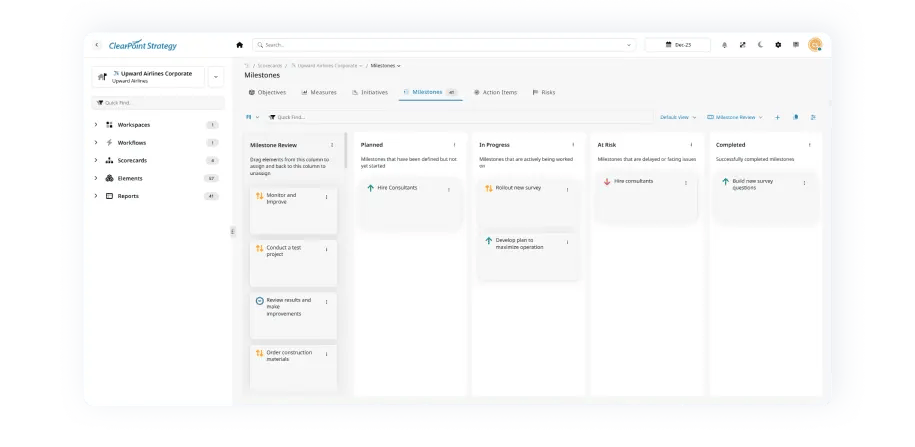
ClearPoint’s Kanban feature is built for strategy management. It gives you a structured way to track your strategic initiatives.
Here’s what makes ClearPoint’s Kanban stand out:
- Customizable Boards – Set up your board to match your strategic plan’s workflow.
- Integrated with Reporting – Link Kanban tasks directly to strategic goals and performance measures.
- Automated Updates – Keep leadership informed with real-time progress tracking.
- Collaboration Tools – Assign tasks, add comments, and keep teams aligned.
How Else Can Kanbans Be Used in ClearPoint?
Beyond tracking strategic initiatives, ClearPoint’s Kanban feature has several other uses:
- Project Management – Track project milestones, deadlines, and dependencies so initiatives stay on schedule.
- Risk Management – Identify and monitor risks by categorizing them based on severity and resolution status.
- Strategy Meetings – Use Kanban boards to run strategy meetings: assign owners for accountability and discuss progress on action items.
Our guide to running strategy meetings with Kanban boards lays out the routine. Give each card a detailed description, an assigned team member and a deadline, so responsibilities are clear. Use the board as the focal point of the meeting and discuss the cards that are in critical stages or at risk of delay. Then update the board during or after each meeting, so it stays a reliable source of information on project status.
Risks fit the same pattern. When you can see each risk move from “Identified” to “Mitigated,” everyone stays on the same page. Linking each risk to specific goals, measures and projects helps everyone understand the stakes.
With Kanban in ClearPoint, organizations track, manage, and execute their strategy in one place, without scattered tools or manual updates.
Start Managing Your Strategy with Kanban
Kanban for strategy management keeps teams focused and accountable. ClearPoint’s Kanban feature shows progress, exposes bottlenecks, and keeps strategic initiatives on track.
Ready to see how ClearPoint can transform your strategy execution? Schedule a demo today.
Common questions