ClearPoint Next is the next version of ClearPoint Strategy's platform, built to make strategy management faster, clearer and more collaborative.
- Build step-by-step workflows for update collection. Tracking submissions and sending email reminders replaces manual chasing and saves hours of admin time each cycle.
- Ask the AI assistant to write calculations in plain language. Set YTD actual as a calculated series and ask for a YTD sum; no coding needed.
- Generate executive summaries and exception reports with AI. They highlight what's off track and why, so leaders don't have to wade through every detail.
- Bulk edit initiatives and measures offline, then upload. Excel or CSV imports and scheduled database connections replace one-at-a-time edits.
- Watch the full ClearPoint Next webinar first. Current users can then ask their customer success manager to schedule a migration.
Strategy execution is one of the toughest jobs leaders have. You gather data from multiple sources, keep reporting consistent, and keep the whole organization engaged and aligned, all while under pressure to save time and resources.
ClearPoint Next is the next version of ClearPoint Strategy's software platform. We built it to make strategy management faster, clearer, and more collaborative.
We revealed the new features of ClearPoint Next in a recent webinar and answered lots of questions from attendees. If you missed it, this post has the highlights. You can also watch a quick 3-minute video to whet your appetite!
Watch the ClearPoint Next reveal webinar
Smarter Data Collection with Automated Workflows
One of the biggest headaches in strategy reporting is collecting accurate, timely updates from teams spread across departments.
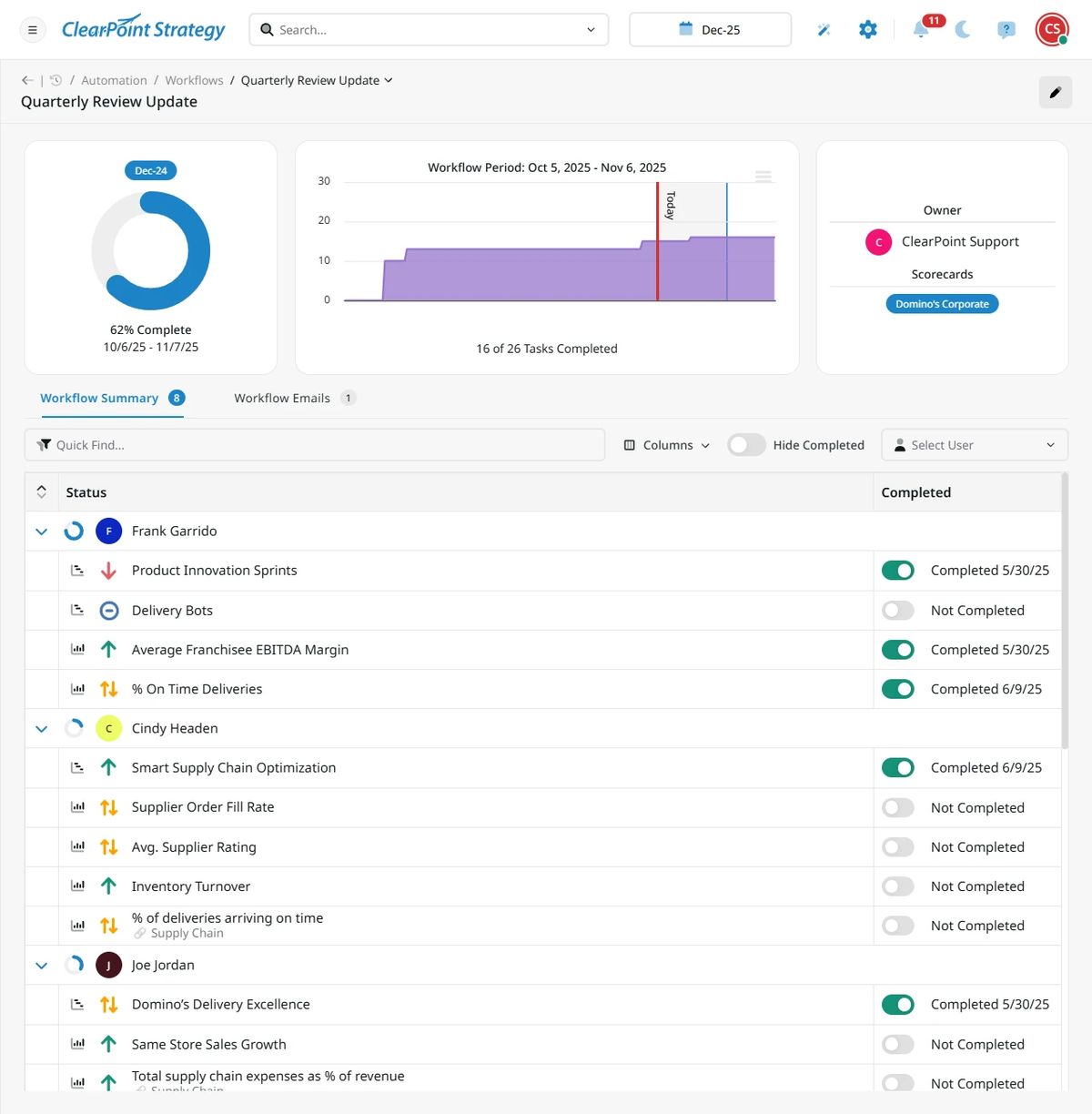
ClearPoint Next handles this with process automation. Admins create step-by-step workflows and track submission progress. We've improved workflows from the classic version of ClearPoint so it’s easier to manage all the pieces and see the reporting process. You get a summary view and visuals on data updates, and you can set up and review email reminders to the people responsible for each update. Data comes in on time without the usual back-and-forth emails or manual chasing.
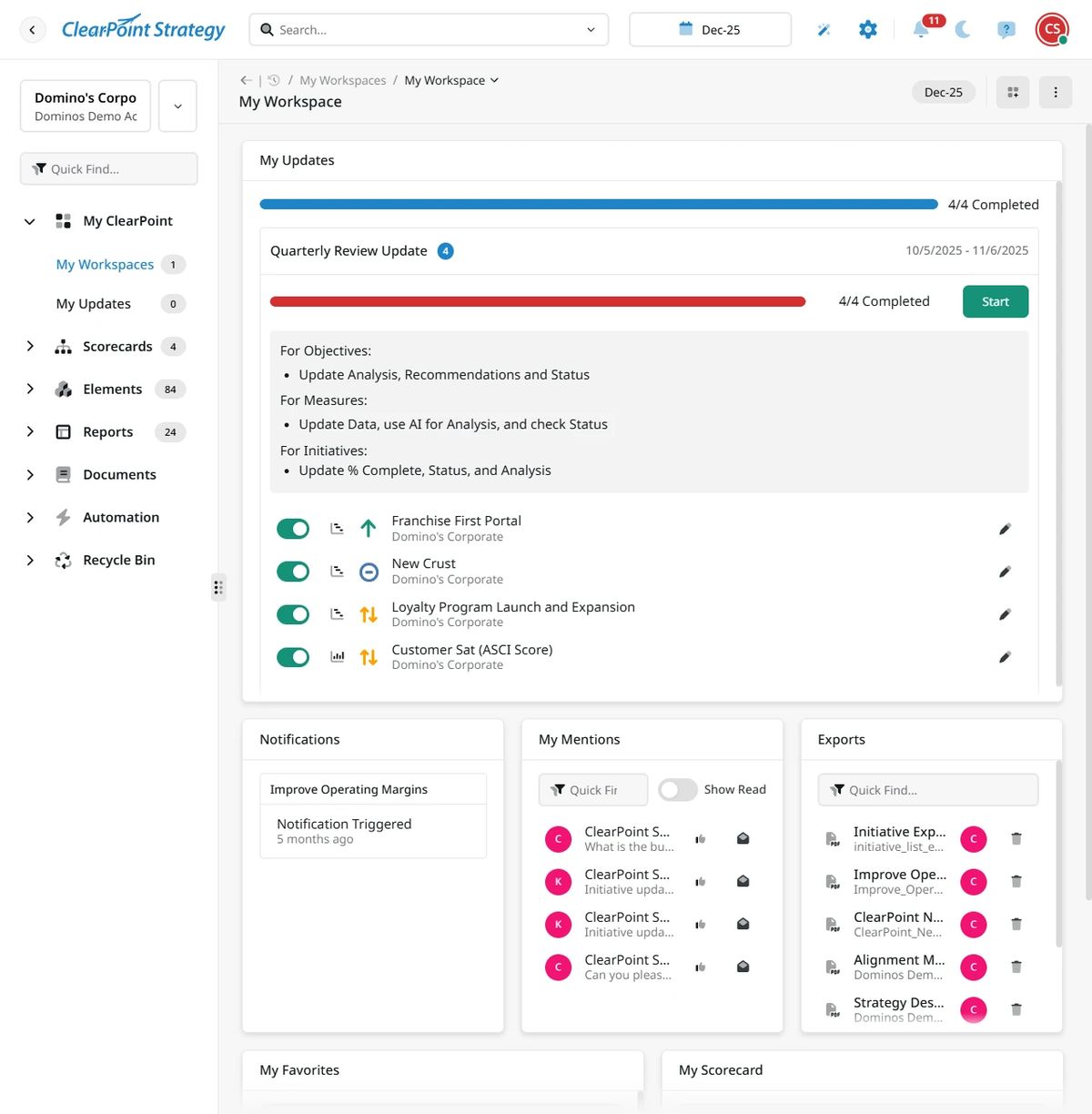
End users see their tasks on workspace pages, where they can update data and find instructions.
This automation saves HOURS (or even days) of administrative time each cycle. It also builds accountability and consistency, so leaders can focus on insights instead of data wrangling.
Better Strategy Insights with AI
Artificial intelligence is a standout feature of ClearPoint Next.
ClearPoint Next has an AI assistant that can analyze data, write short-term and long-term trend summaries, create branded charts, build formulas across scorecards and KPIs, and handle complex calculations. You use natural language, with no coding.
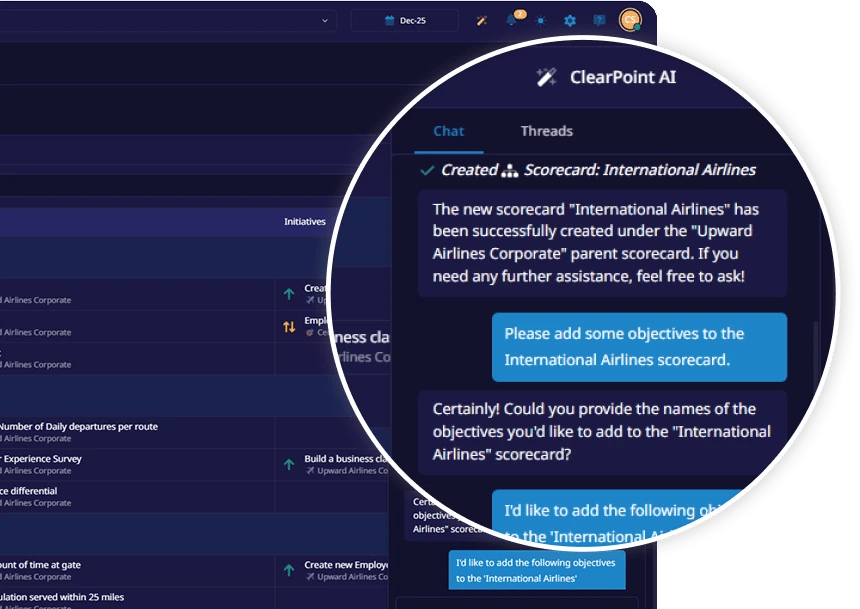
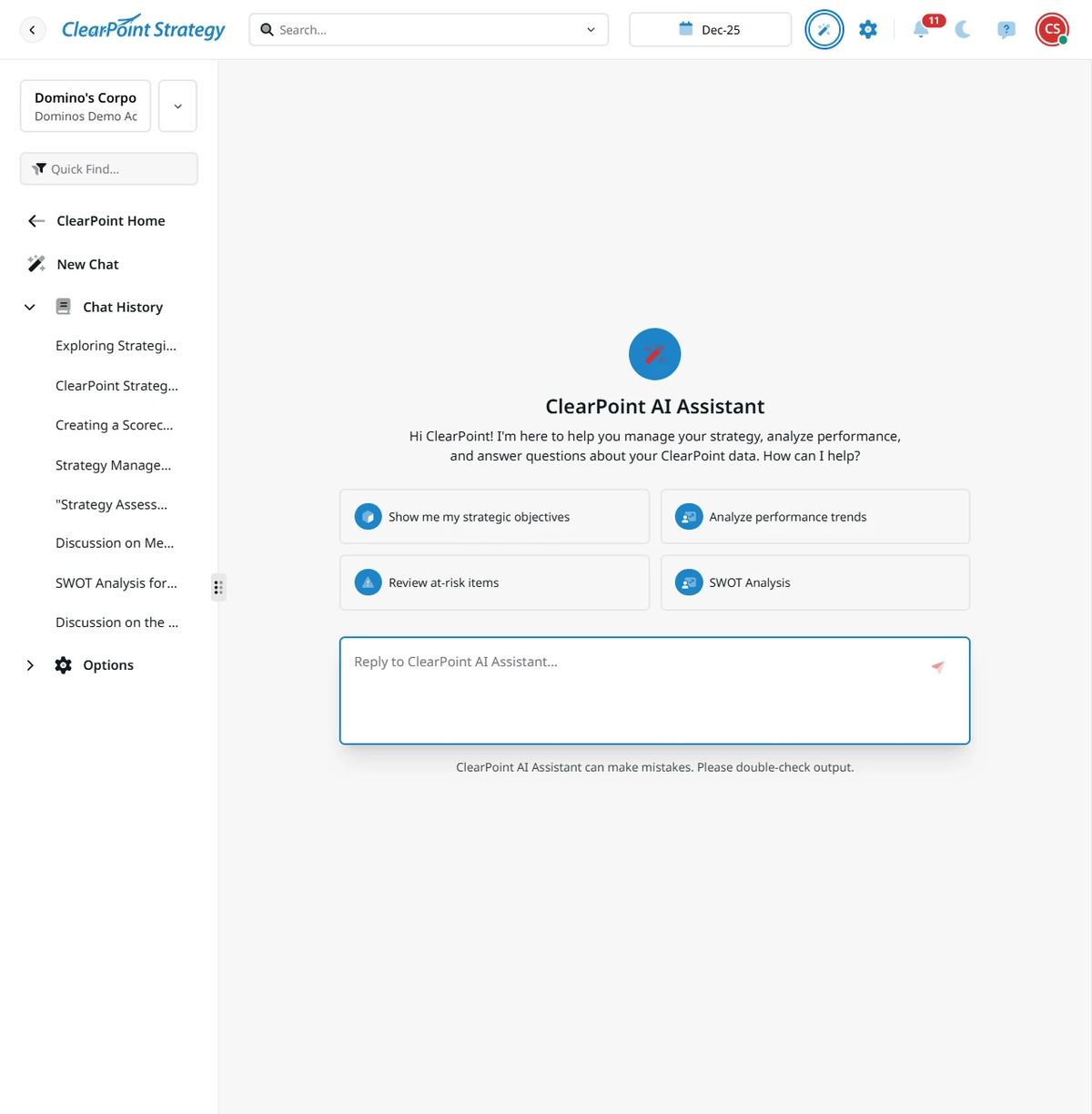
Many people struggle with calculations, and that is where AI helps most. To calculate YTD actual in ClearPoint, for example, set it as a calculated series and ask the AI assistant to make it a YTD sum of actual. It writes the calculation formula. Hit save and you’re done.
AI can also create different types of charts. For instance, you can turn a bar chart into a Gantt chart with a short phrase: “Make this a gantt chart.”
With these AI features, users turn raw data into narrative and visuals for reports without specialized skills.
In upcoming releases, the AI tool will act as a strategy assistant inside the platform. It will run SWOT analyses, compare department performance, and suggest strategic initiatives based on data. That helps organizations make decisions earlier and more strategically.
Enhanced Reporting and Engagement
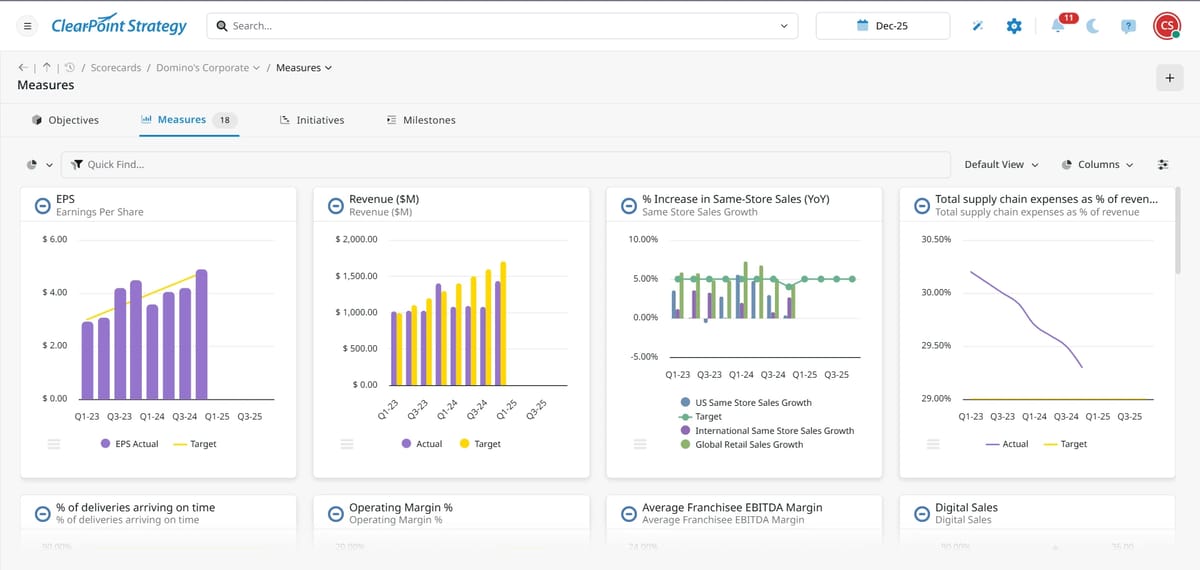
Strategy execution depends on clarity and engagement. ClearPoint Next supports both with branded, customizable reports and dashboards.
Users can drag and drop report elements and charts, and filter elements, to build layouts that fit their organization's style and priorities. That makes complex data easier for leadership teams to absorb and act on.
Built-in communication tools support collaboration. Users can comment, mention colleagues, flag issues, and join discussions directly in reports.
One of the challenges that we hear from people is that they get so many great details in ClearPoint that they don't know how to summarize their work.
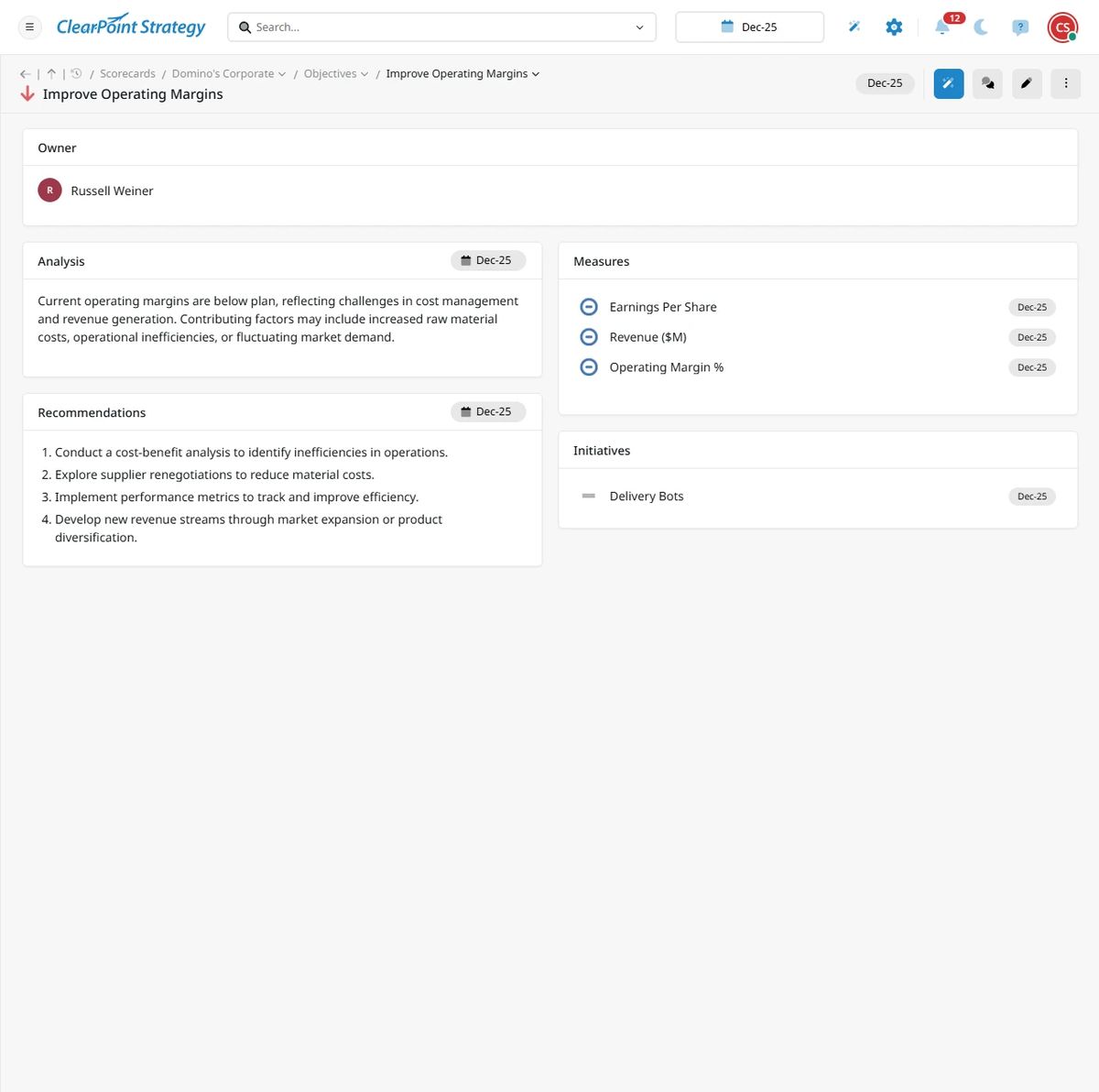
AI helps here too. It can write your executive summary or exception report, and it highlights what's off track and why. (We use this feature pretty regularly at ClearPoint!)
The Microsoft Teams integration pushes notifications, takes data updates, and shares briefing books in channels people already use. That builds shared accountability for strategy execution across departments.
Other highlights of ClearPoint Next:
- Seamless data integration and bulk editing. ClearPoint Next supports multiple options for importing data, from manual edits in data tables to scheduled database connections and direct imports of Excel or CSV files. With the new upload and download feature, users can bulk edit initiatives and measures offline and then upload changes with a click.
- Accessibility across devices. ClearPoint Next is device responsive, so users can update and review their strategy from phones, tablets, or computers.
- Organization-wide visibility for alignment. The AI strategy assistant can look across your entire account and compare departments, find high (and low) performers, and look at all of your projects to identify conflicts.
- Coming soon: AI SWOT analysis. It’s still in development, but soon you’ll be able to ask the AI assistant to identify your organization’s strengths, weaknesses, opportunities, and threats. Watch for it in the coming months!
Over time, the AI assistant will know everything about your strategy. If you've used ClearPoint for one year, it has one year of data. If you're a long-term client who has used ClearPoint for 10 or more years, it’ll have 10 years of data. That’s like having a strategy consultant built into your system to help guide your next steps.
When does ClearPoint Next launch?
Everything discussed above (with the exception of the SWOT analysis tool) is live now. If you're a current ClearPoint user and want this version, reach out to your customer success manager to schedule a migration. If you're not yet a client, you can expect to see and use all these features immediately.
Why These New Features Matter
ClearPoint Next automates routine tasks, simplifies data management, and gives users AI-driven insights. That cuts the time organizations spend on reporting. It also gives leaders visibility into strategic performance, so they can see how things are going at any time and change course if needed.
Collaboration tools and customization options let teams of any size or industry work together on clear, data-driven strategy execution. Leaders can move faster and make better calls.
Common questions