
.svg)
Google AI answers
Better answers, right in Google.
Google lets you choose the sites its answers come from. Choose ClearPoint, and you’ll see ours first.
One click. Only changes what you see — undo it anytime.

The earliest risk signal in a project tracking tool is an empty field, not a red flag. Four checks that catch a capital project before it is formally late.
See how this works in your sector
- The earliest risk signal in a project tracking system is an empty owner field. Across 3,131 capital projects at roughly 100 local governments, 54% carry no named owner — and a project with one is completed 19.7% of the time against 9.0% without.
- Most project software raises an alert when a value crosses a threshold: a date passes, a budget breaks, a status turns red. Early risk shows up as absence — no owner, no update, no revised date — and absence produces no event, so no alert fires.
- A past-due date is a weak flag in public-sector portfolios. 79% of capital projects past their deadline are still sitting open in the plan of record, with no state change to trigger a review.
- 76.5% of assigned owners have never posted a single update. A name in the owner field is not evidence that anyone is watching.
- Four checks you can run today: unowned projects, projects with no status change across two review cycles, projects whose end date moved while nothing else did, and past-due projects still marked open.
The project is fine. Everyone says so.
The dashboard is green. The budget line hasn't moved. The end date still reads December. And in a conference room on the second floor, a council member asks how the water main replacement is going, and three people nod.
Eleven months later the same project lands on a variance report. Nobody lied. Nobody missed a meeting. The tracking system simply had nothing to report, because nothing inside it had changed — and that was the signal.
We can measure how common that shape is. Across 3,131 capital projects that roughly 100 local governments run in ClearPoint, 13% are ever marked complete, and 79% of the past-due ones are still sitting open in the plan of record. That is the fingerprint of risk nobody reported.
This is a guide to reading the signals your software doesn't raise.
The risk signals your project software already catches
Every project tool ships with roughly the same alert set. A deadline passes. A budget crosses its variance band. A milestone is marked missed. A status turns red. Better tools add burn-rate curves and critical-path movement.
These work. Keep them.
They also share one property. Each needs the damage to have already landed. A missed milestone records a slip that happened. A red status is somebody's verdict after the fact. By the time a capital project trips a threshold in a public-sector portfolio, the recovery options have usually narrowed to two: extend the date, or ask for more money.
Guides to early warning signs describe behaviour: morale dropping, scope creeping, meetings turning into firefighting. None of the ten top-ranking guides on this topic names the one signal that is visible in the system on day one and needs no history at all — whether the project has a named owner.
The receipt: across 3,131 capital projects at roughly 100 local governments, 54% carry no named owner, and projects with one are completed 19.7% of the time against 9.0% without — a 2.2× gap. What to do: sort your portfolio by owner before your next review and treat every blank row as an open risk.
Why project software misses the early half of risk
Project tracking tools are built to compare. Planned against actual. Value against target. Today against the end date. When a comparison breaks, an event fires and something on your screen changes colour.
Early risk rarely gives the tool anything to compare.
A project created without an owner breaches no threshold. A status field nobody has touched since March holds a perfectly valid value — March's. An end date quietly pushed from June to November is a legal edit, and the system files it as an edit, not as a warning. In all three cases the portfolio is degrading while the software behaves exactly as designed.
Absence is the blind spot. Absence is also where the early half of risk lives.
There is a second-order version that catches experienced teams. A tool reports only what someone puts into it. When the update cadence collapses, the dashboard doesn't go dark — it freezes, holding the last thing anyone said. A frozen portfolio looks identical to a healthy one. MIT Sloan Management Review made a related point about status reporting. What reaches leadership has already been filtered and softened by whoever prepared it, so late flags often arrive too late to act on.
The four early risk signals you can check today
1. The project has no named owner
Run this one first. It needs no history, so a project created yesterday can be checked for it.
Across 3,131 capital projects at roughly 100 local governments, 54% have no named owner. Projects with one are completed 19.7% of the time. Projects without one, 9.0%. That gap is visible on day one, long before any date moves.
Sort your portfolio by owner. Every blank row is a project whose risk nobody will report, because reporting it is nobody's job. This is the same mechanism that drives the completion numbers in our capital improvement plan research.
2. The owner field is filled and nothing has ever come from it
Assigning an owner is where most guidance stops. The failure mode after that is quieter.
76.5% of assigned owners have never posted a single update. Not a late one. Not a thin one. None. The name sits in the field, the governance box is ticked, and the project is functionally unowned.
Check the last-update date per owner rather than per project. One owner holding twelve projects and zero updates is a larger exposure than twelve unowned projects scattered across the portfolio.
3. The status hasn't changed across two review cycles
One missed update is a busy month. Two consecutive cycles carrying an identical status is a signal, and it means one of two things: the project genuinely hasn't moved, or nobody is looking. Both earn a phone call.
Most tools will not surface this, because an unchanged field is not an event. You have to ask for it directly — filter on last-modified date, not on status value.
4. The deadline passed and the record still says open
Here is the one that should unsettle you. 79% of capital projects past their deadline are still sitting open in the plan of record.
Not cancelled. Not re-baselined. Not marked late. Open, with a date in the past and no state change of any kind. The median local government tracks 136 active projects across 18 separate plans. That backlog is where risk quietly accumulates, because a stale record generates no alert and nothing ever puts it back on an agenda.
Each of these is observable in your tracking system this week, and none of them will raise an alert on its own — which is precisely why they stay invisible until a project is formally late.
| The signal | What it actually means | Do this week |
|---|---|---|
| Owner field is empty | Nobody is accountable for reporting the risk, so no risk will be reported | Assign a named person, not a department |
| Same status two cycles running | Either the work stopped or the reporting did | Filter on last-modified date and call the top ten |
| End date moved, nothing else did | The schedule absorbed a problem instead of surfacing it | Require a written reason on every date change |
| Past due, still marked open | The plan of record has stopped matching reality | Close, cancel or re-baseline every one of them |
Why green is the most dangerous colour on a government dashboard
Green carries two completely different meanings, and most dashboards render them identically.
The first is assessed green: a human looked at the project this period and judged it on track. The second is green by default: no status rule fired, nobody entered anything, and the tile kept the colour it had last time. Only one of those is information.
Before your next review, ask your system a narrow question: how many of these green items received a status this period? If the tool can't answer, that is itself the finding. A RAG discipline that separates “assessed on track” from “never assessed” is usually the cheapest fix on this entire list.
Your early signal sits one level above where you are probably watching. Public works and utilities teams run the best-owned operational layer in local government — the missing owner is rarely on the work itself. It is on the outcome the work is supposed to deliver.
Why: in our public works and utilities cut (59 of 120 local-government organisations, data anchored 2024-12-31), measures run 39.7% without an owner against 56.2% in every other function. Objectives in that same cut sit at 79.6% unowned. The one change: audit ownership at the objective and programme level first, not at the work-order level.
A 30-minute audit of your own portfolio
Run these five queries against your tracking system and write the numbers down. The benchmark column comes from 3,131 capital projects across roughly 100 local governments, so it is a fair mirror for a city or county portfolio.
| The check | The query to run | Benchmark |
|---|---|---|
| Unowned projects | Projects with an empty owner field | 54% |
| Ever completed | Projects marked complete, all time | 13% |
| Past due, still open | End date in the past, status still open | 79% |
| Owner effect | Completion rate, owned vs unowned | 19.7% vs 9.0% |
| Silent owners | Owners with assignments and zero updates | 76.5% |
Source: ClearPoint platform analysis of 3,131 capital projects across ~100 local governments, plus platform-wide owner-activity data (562 organisations).
If your unowned rate sits under 20%, your governance is genuinely ahead of the field. If it sits over half, you already know what your first fix is. The GFOA's guidance on capital project monitoring and reporting makes the same argument from the finance side: monitoring only counts when someone is named and reporting happens on a fixed cycle.
Four changes to make in the tool itself
Reading these signals by hand works once. Making the system produce them is what holds.
- Require an owner at creation. A required field, not a reminder. This moves your earliest signal from a monthly audit to an impossibility.
- Add a staleness rule. Flag any project whose status hasn't changed in two review cycles. You are asking the tool to alert on absence, which it will not do by default.
- Log date changes as events. A moved end date should leave a visible trace with a reason attached. Three recorded moves in a year is a story worth reading; three invisible edits is not.
- Auto-flag past-due open records. Anything with a date in the past and an open status joins the review agenda automatically, every cycle, until somebody closes, cancels or re-baselines it.
ClearPoint Next AI covers part of this natively. It reads the whole plan, diagnoses off-track items against your real data, and flags slipping initiatives without waiting for a threshold breach. The configuration work above still matters, because no assistant can report on a field nobody filled.
If you are still choosing a system, our comparison of project tracking software for local governments covers how the main platforms handle this, and the vendor-by-vendor review of capital project management software for local government goes deeper on owner-side construction tools. The broader government project performance guide sets the wider context, and our local government pages show how cities put the same signals in front of a council.
Get the tracker that makes these signals visible
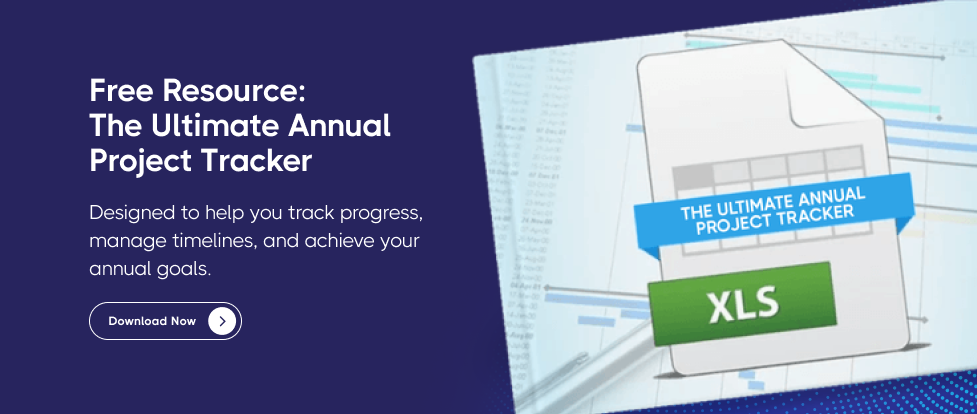
The four checks above are easier to run when your projects live in one sheet with owner, status, date and last-update columns that someone actually maintains. The Ultimate Annual Project Tracker is the template our local-government customers use to do exactly that — owner-first, built around the fields that carry the early signals rather than the ones that only report damage.
Frequently asked questions
What causes project performance tracking software to miss early risk signals?
Most project tracking software raises alerts by comparing a value against a threshold — a date against today, spend against budget, status against a rule. Early risk usually appears as absence rather than as a breached value: no assigned owner, no status change, no revised date. Absence generates no event, so the software has nothing to fire an alert on.
How do automated project performance tools improve government transparency?
Automated tools improve transparency by publishing the same record staff work in, so residents and council members see project status without waiting for a prepared report. The gain is real only when ownership and update cadence are enforced in the system, because an automated dashboard fed by stale fields republishes stale confidence. Automation removes the reporting delay; it does not remove the need for a named owner. Our guide to public dashboards that stay current covers the full transparency setup.
What are the earliest warning signs that a government project is going off track?
The earliest sign is a project with no named owner, because it is visible on day one and needs no status history. After that: the same status carried across two consecutive review cycles, an end date that moved while no other field changed, and a past-due date on a record still marked open.
Is a green status reliable in a project tracking dashboard?
Not on its own. Green can mean a person assessed the project as on track this period, or it can mean nobody entered anything and the tile kept its previous value. Ask your system how many green items received a status this period — if it cannot answer, the colour is not a control.
How often should project status be updated to catch risk early?
Match the update cadence to your review cadence, so every project carries a status entered since the last review. The number that matters is not the interval but the gap: any project whose status predates two consecutive reviews should be treated as unreported rather than as on track.
Does assigning an owner actually improve project completion?
In our analysis of 3,131 capital projects across roughly 100 local governments, projects with a named owner were completed 19.7% of the time against 9.0% for projects without one — a 2.2× difference. The effect only holds when the owner is a person rather than a department, and when the assignment comes with a reporting cadence.
What should a utility or public works department watch instead?
Watch ownership at the objective and programme level rather than at the work-order level. Public works and utilities teams run the best-owned operational layer in local government — in our cut of 59 organisations, measures run 39.7% without an owner against 56.2% elsewhere — while objectives in the same cut sit at 79.6% unowned. The risk sits above the work, not in it.
Where to start
Pick the first check. Count your unowned projects, put a name against the ten largest, and see what comes back within a fortnight. That single move is the highest-yield hour in this article, and it costs nothing but the awkwardness of asking.
A capital plan is a list of promises with dates attached. The dangerous ones are never the promises that break loudly. They are the ones that stop being discussed, keep their original date, and stay green right up to the year they were meant to be finished.
Your tracking system will tell you about the first kind. The second kind, you have to go and look for.

%20OKRs%20vs%20KPIs%20Breaking%20Down%20the%20Difference.jpg)
%20Strategy%20vs%20Tactics%20Differences%2C%20Examples%20%26%20How%20to%20Track%20Both.jpg)
