Automatically plan, manage, and execute your strategy using ClearPoint.
- List the manual steps that slow your reporting cycle. Slow data collection, manual entry and inconsistent reporting delay decisions and raise error rates.
- Automate approvals and task assignments with workflows. Routine steps then run consistently, and staff spend the time on strategic initiatives.
- Calculate and aggregate metrics across departments automatically. One combined view of sales, finance and operations replaces error-prone manual math.
- Set automated evaluations on your measures. Status updates as new data arrives, so you can adjust strategy sooner.
- Send reminders where people already work. The Microsoft Teams integration delivers ClearPoint notifications for deadlines and follow-ups.
Healthy businesses look for ways to simplify operations, reduce errors, and save time. Manual processes are slow and prone to human error, which makes it hard to keep data accurate. Aggregating and evaluating information is especially hard, so insights and decisions arrive late. That makes it harder for an organization to operate and stay agile when conditions change.
Enter ClearPoint Strategy, a tool that can help you save up to 75% of your time through automation. Below we cover the problems with manual processes, what automation fixes, and how ClearPoint changes your strategic planning and execution.
The ClearPoint Advantage: Automating Strategy Execution
Take an enterprise company that delivers services while managing complex performance standards. Manual work causes it problems like:
- Lengthy decision-making cycles due to slow data collection and analysis
- High rates of human error from manual data entry
- Inconsistent reporting that makes it difficult to gauge true performance
- A lack of real-time insights that hinders responsive decision-making
Staff also get bogged down in repetitive tasks that pull attention from strategic initiatives, which lowers productivity and employee satisfaction. Together, these issues slow the company’s growth and weaken its ability to compete. Many organizations will recognize this.
Now picture the same organization using ClearPoint to solve these problems automatically. Here are the features that make a difference.
Workflows: Streamlining Processes with Precision
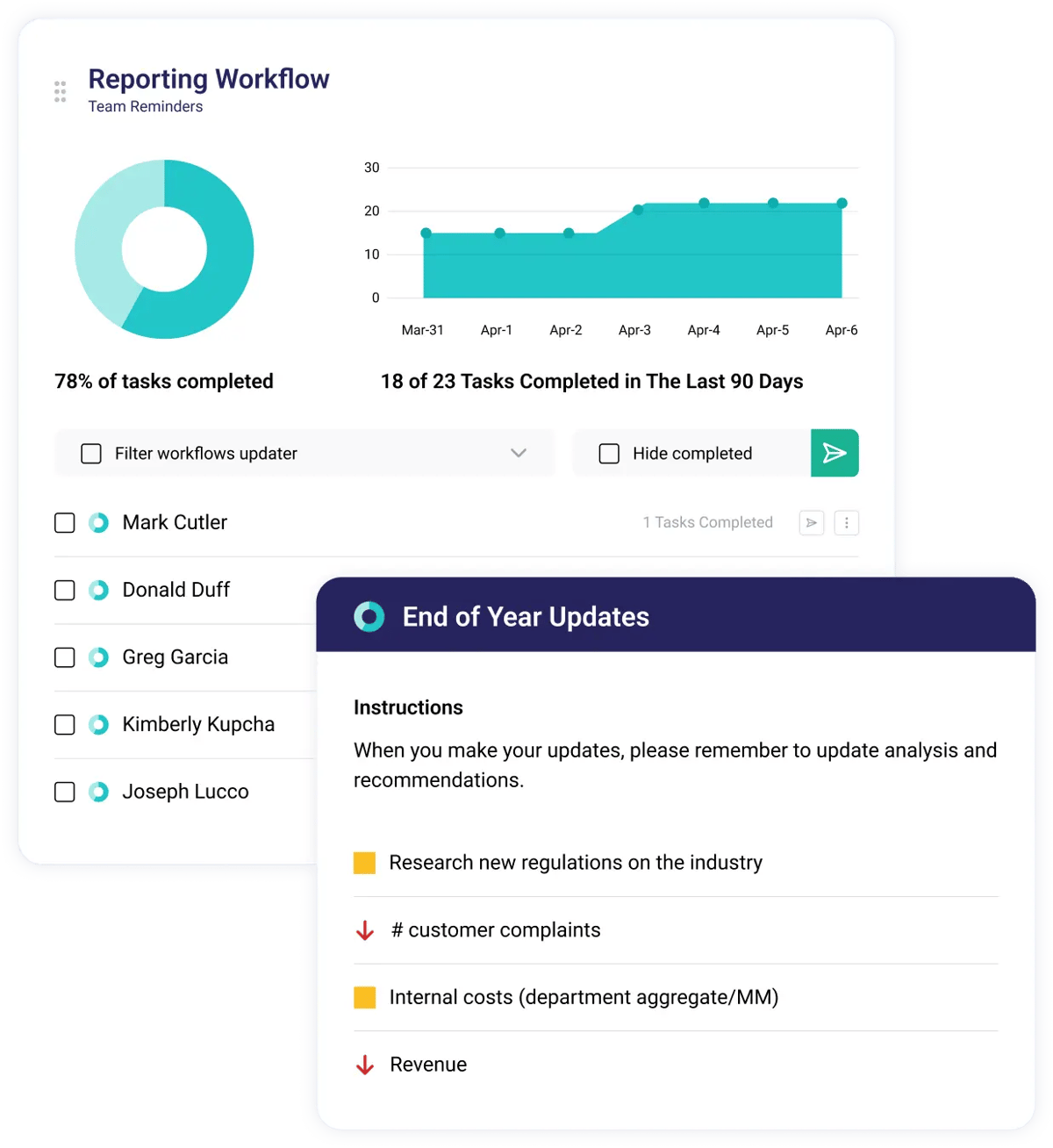
ClearPoint’s automated workflows run every process, from client onboarding to regulatory compliance checks, the same way each time. When routine tasks such as approval processes and task assignments run automatically, professionals can spend more time on strategic initiatives and client relations. It saves time, keeps work consistent, and reduces errors.
Here is what an automated monthly cycle can look like, from our guide to automating most of your management reporting. Data Loader packages run on the first day of each month, so calculations, charts and evaluations update on their own. Each user then gets an email listing the elements they need to update, with links to each page. A second reminder goes only to users who have not yet made their updates. The reporting period then locks automatically, so everyone reviews the same information. Before the review meeting, ClearPoint generates the briefing book and sends it to the attendees as a read-ahead.
Notifications: Staying Informed and Aligned
ClearPoint’s automated notifications keep everyone informed in real time without follow-up emails and meetings. Schedule reminders for project deadlines, client follow-ups, or regulatory updates so nothing slips through the cracks and everyone stays aligned with organizational goals.
First National Community Bank in Pennsylvania used to manage its strategic plan in Excel spreadsheets in a shared drive. Members updated their goals by hand, and two strategic plan managers oversaw the process. Now automatic workflows send monthly reporting reminders. Reminders go out on the first of each month, and members have 15 days to update their goal progress in ClearPoint. The entire process can now be managed by Vice President Tom Lunney alone, which saves him days every quarter.
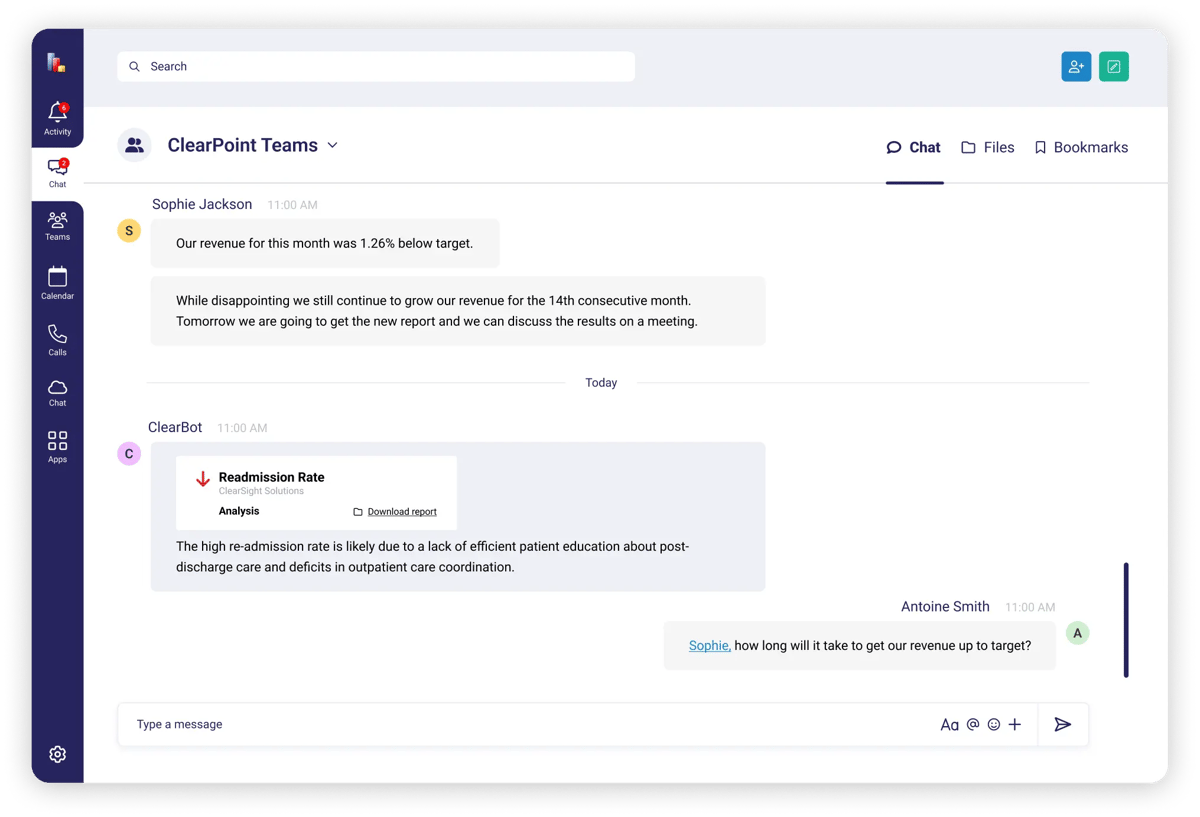
Get notifications through Microsoft Teams — explore our integration
Calculations: Accuracy and Efficiency at Your Fingertips
ClearPoint takes the complexity out of data analysis with automated calculations. For an enterprise company, that means accurate financial metrics, performance indicators, and resource allocations. Automated calculations cut errors and give professionals time to improve service delivery and client satisfaction.
Aggregations: A Holistic View of Performance
Aggregating data from departments such as sales, finance, and operations is hard work. ClearPoint simplifies aggregations by combining data from many sources into a single view. Leaders then decide from a complete picture of the organization's performance, so they can spot areas for improvement and celebrate successes.
Evaluations: Timely Insights for Strategic Decisions
ClearPoint’s automated evaluations show how performance and strategy are going. For an enterprise company, that means regular checks on project outcomes, regulatory compliance, and operational efficiency. Automated evaluations let an organization adapt quickly to new information and base strategic decisions on data.
DC Thomson Media, one of the UK’s leading content creators, put these pieces together. Its strategy team used the Data Loader for scheduled transfers from Excel, advanced calculations to compute KPIs, and Red-Alert Summary Reports to identify and explain underperforming measures. Report preparation went from 4 days to just 8 hours per month, a 75% reduction in board meeting preparation time. Exporting and distributing pre-reads now takes only 10-15 minutes per business. The strategy team now concentrates on helping businesses meet goals rather than administrative tasks.
AI Integration: Advanced Analytics for Future Planning
ClearPoint uses artificial intelligence (AI) for advanced analytics and predictive insights. AI recommendations can help you forecast market trends, optimize resource allocation, or predict regulatory challenges. These AI features support better decisions and help enterprise businesses stay ahead.
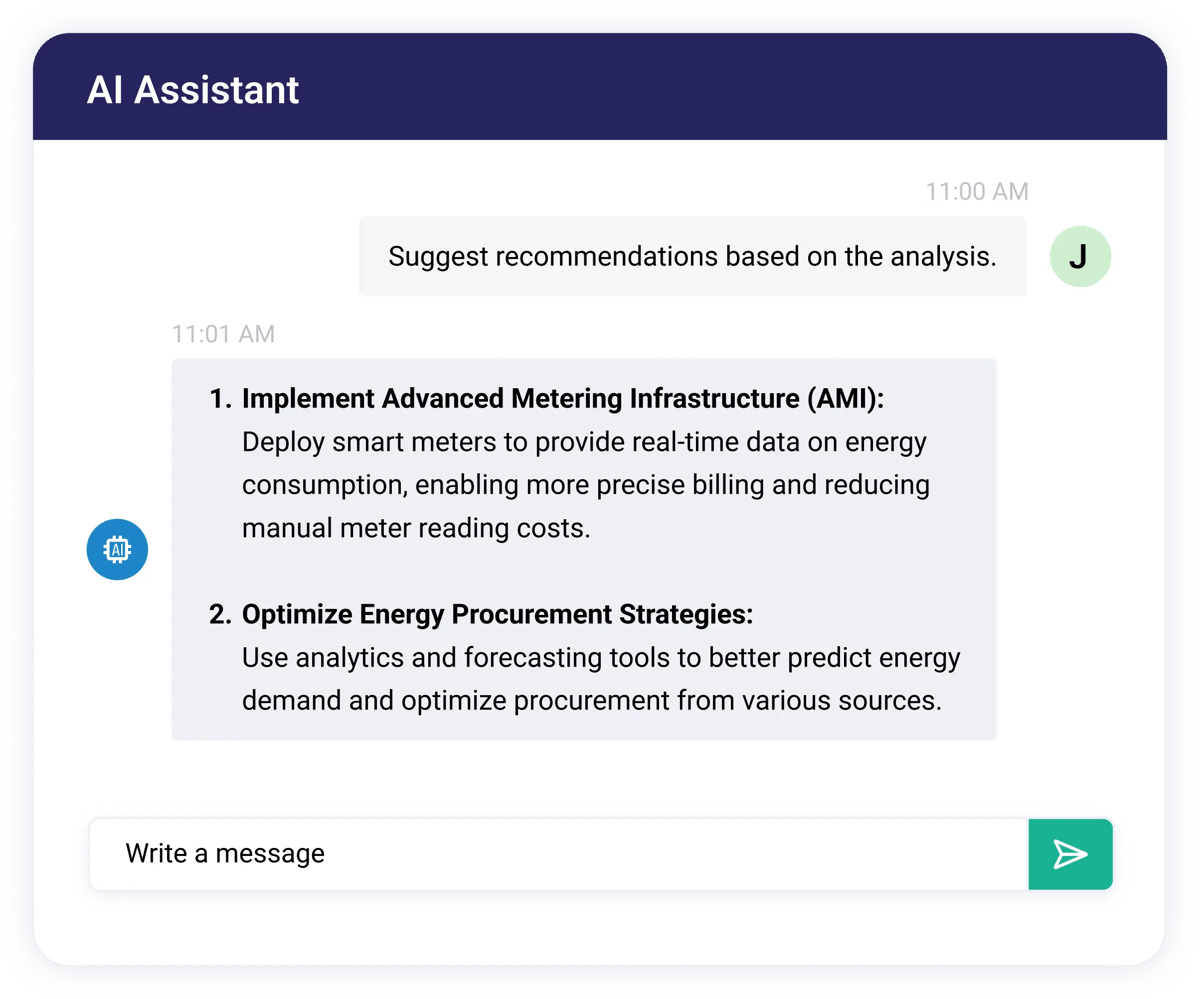
Explore AI-powered strategy in ClearPoint in our AI use case
Organizations that want to stay competitive and efficient need automation. ClearPoint Strategy offers automation tools for strategic planning and execution: workflows, notifications, calculations, aggregations, evaluations, and AI. With ClearPoint, you can produce higher-quality reports, reduce errors, and save up to 75% of your time. Your team spends less time on manual work and more on the strategic decisions that drive growth.
Schedule a free demo to see how automation would change your operations.
Common questions