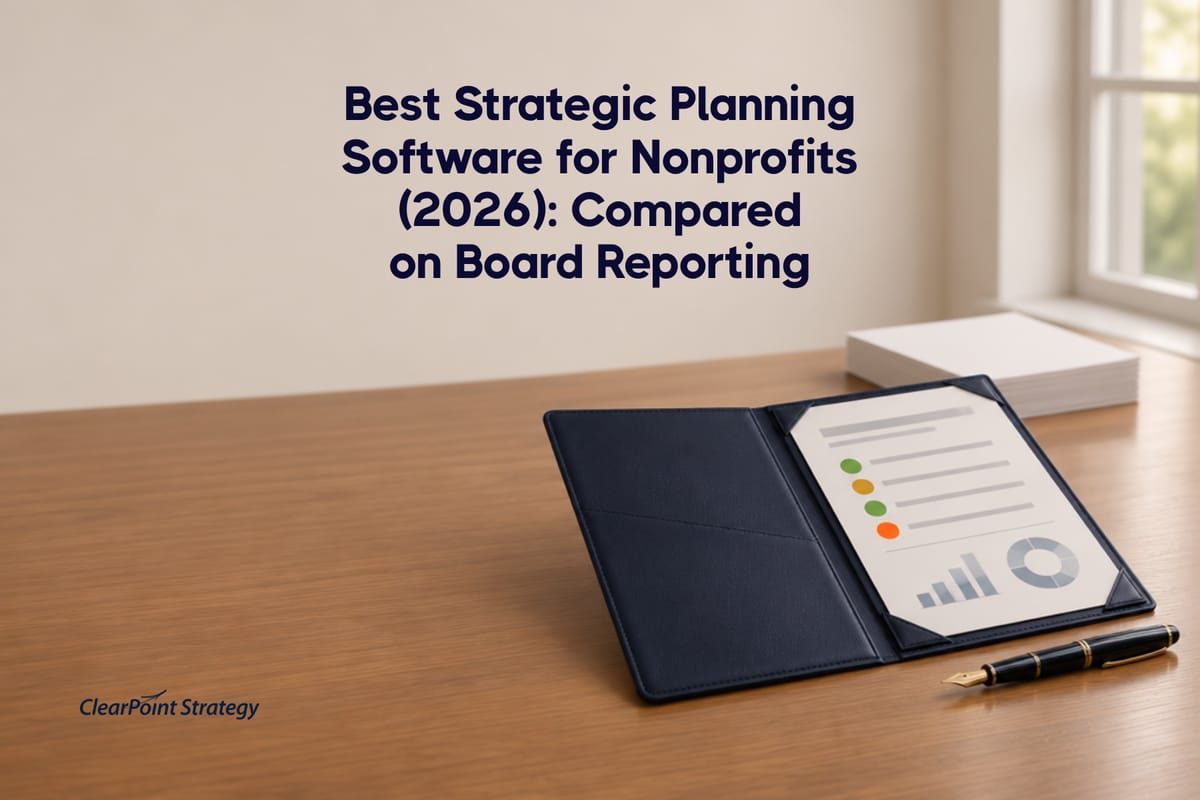
Seven nonprofit strategic planning tools compared on what a board needs: owners, status, roll-up and one source of truth. Plus data from 17 nonprofit plans.
- Most nonprofit plans are too big for a board to read. The median nonprofit plan on ClearPoint holds 61 objectives, 197 measures and 67 initiatives. A board governs three or four priorities.
- Ownership predicts what finishes. In the nonprofit plans we analyzed, initiatives with a named owner finished at 22.3%, against 4.3% for initiatives with nobody on them: about five times the rate.
- Most nonprofit work has no owner. In the median nonprofit, 72% of objectives and 82% of initiatives carry no owner, and 38% of measures have never received a single data point.
- Board portals and strategy software do different jobs. A portal distributes the board packet. Strategy software produces the progress report that goes in it.
- Test every tool on four things: an owner on every item, a status a trustee reads in seconds, a roll-up from hundreds of measures to a few priorities, and a board report built from the same data the staff runs.
Key Takeaways
- Most nonprofit plans are too big for a board to read. The median nonprofit plan on ClearPoint holds 61 objectives, 197 measures and 67 initiatives. A board governs three or four priorities.
- Ownership predicts what finishes. In the nonprofit plans we analyzed, initiatives with a named owner finished at 22.3%, against 4.3% for initiatives with nobody on them: about five times the rate.
- Most nonprofit work has no owner. In the median nonprofit, 72% of objectives and 82% of initiatives carry no owner, and 38% of measures have never received a single data point.
- Board portals and strategy software do different jobs. A portal distributes the board packet. Strategy software produces the progress report that goes in it.
- Test every tool on four things: an owner on every item, a status a trustee reads in seconds, a roll-up from hundreds of measures to a few priorities, and a board report built from the same data the staff runs.
It is the week before the board meeting. The executive director opens the strategic plan, a spreadsheet with a tab per program, and starts chasing program leads for updates. Half the measures are blank. Two initiatives have no one's name on them. The board report ends up as bullet points in a Word document, written the night before.
The short answer: the best strategic planning software for a nonprofit that reports to a board is a strategy execution platform, not a board portal and not a project management tool. It should put a named owner on every goal and initiative, collect updates automatically, roll a plan of hundreds of measures up to the few priorities a board governs, and produce the board report from the same data the staff uses. Tools built for that job include ClearPoint, Envisio, AchieveIt, Spider Impact, Cascade, Elate and StratSimple. Board portals such as Boardable sit next to them, not in place of them.
Below: what our platform data shows about nonprofit plans, the three categories of tools, a side-by-side comparison, and the questions to ask in a demo.
What a nonprofit board actually needs from the software
A board oversees the plan; the staff runs it day to day. That changes what the software has to do. Before you compare vendors, hold every tool to four tests:
- One owner per item. Every goal, measure and initiative carries a named person, not a department or a committee.
- A status, not a spreadsheet. Each priority resolves to on track, at risk or off track, so a trustee gets the picture in a minute.
- A roll-up. Staff run the full plan. The board sees three or four priorities. The software has to connect the two without anyone re-typing numbers.
- One source for every audience. The staff view, the board report and the funder update come from the same data, so the numbers never disagree.
The board report is rarely the whole board meeting. In a 2025 demo, the head of a nonprofit walked our team through theirs: committees take most of the agenda, and the staff update is the smallest section. It is still the part they chase every month, department by department. That is the part software should take off their plate.
Most tools pass the first test. The third one is where spreadsheets, task tools and board portals fall short, and our own data shows why it matters.
What nonprofit plans look like inside ClearPoint
We looked at the strategic plans of 17 nonprofit organizations in ClearPoint's research database (demo, training and test accounts excluded). The pattern is consistent: the plans are large, and most of the work in them has no owner.
A board cannot read 197 measures. It can read three or four priorities, each with a handful of indicators underneath. Most of the measures a nonprofit tracks belong to the staff, not the board. The job of the software is to decide which ones go upstairs and keep the rest current downstairs.
The empty measures are the bigger problem. When 38% of a plan's measures have never received a value, the board report gets written from memory. That is the Word-document-the-night-before problem in one number.
Ownership is the variable that moves completion
The clearest signal in the nonprofit data is ownership. Initiatives with a named owner finish far more often than initiatives with no one on them.
That is about five times the completion rate. We excluded the largest nonprofit plan in the set, because one organization held half of all nonprofit initiatives and would otherwise dominate the number. With it included, the gap is wider, not narrower. The same pattern holds across every sector on the platform: initiatives with a named owner complete at 2.5× the rate (21.5% vs. 8.7%). For a deeper look at the nonprofit side, see our analysis of the nonprofit strategy-execution gap.
For buyers, the takeaway is practical. Owner fields are standard in this category, so check the default instead: does the tool force an owner on every item, flag the ones without one, and chase updates for you? Lean nonprofit teams rarely have someone whose job is to chase updates.
One position we'll hold even though it costs us demos: if your plan has hundreds of measures and most items have no owner, cut the plan and assign owners before you buy any software, ours included. A tool will make an unowned plan look organized. It won't make it finish.
The three kinds of tools, and which one reports progress to a board
This search is confusing because three categories of software all claim "board reporting." They solve different problems, and many nonprofits end up running two of them.
| Category | Built for | Reports plan progress to the board? |
|---|---|---|
| Board portals (e.g., Boardable) | Agendas, board packets, minutes, votes, document storage | No. It distributes the report; it does not produce it. |
| Project and task tools (e.g., Asana) | Day-to-day tasks and deadlines for staff teams | Only if staff hand-build the plan structure, owners, status rules and summaries. |
| Strategy execution platforms (ClearPoint, Envisio, AchieveIt, Spider Impact, Cascade, Elate, StratSimple) | Running a strategic plan: goals, measures, initiatives, owners, status, roll-up, board and public reporting | Yes. This is the category built for it. |
If you already use a board portal, keep it. A strategy execution platform produces the progress report; the portal delivers it with the rest of the packet. For the portal side of the market, see our roundup of board and council reporting software.
Best strategic planning software for nonprofits, compared
The table below compares what each vendor documents on its own nonprofit or product pages. We list only what we could verify on the vendor's site as of November 17, 2026. None of these vendors publishes a price on its nonprofit page.
| Tool | Best fit | Board reporting (as documented) | Nonprofit proof on vendor site |
|---|---|---|---|
| ClearPoint | Nonprofits that report to a board and to funders from one plan | Board and council reports built from live plan data; AI summaries for a board-level audience | Raphah Institute, Riverside Community Health Foundation, Rare, Boys & Girls Clubs of Puerto Rico case studies |
| Envisio | Plan tracking with public impact dashboards | Progress reports for boards, volunteers and partners | Volunteers of America Southeast, MVEIRB case studies |
| AchieveIt | Teams that want software plus strategy services | Automated update collection, real-time reports and dashboards | YMCA, Heartland Family Services, Episcopal Community Services |
| Spider Impact | KPI scorecards fed by data integrations | Multi-slide executive briefings from dashboards and KPIs | VersAbility Resources case study |
| Cascade | Teams that live in Slack, Teams and Google tools | Custom reports, saved snapshots | Nonprofit discounts noted; no nonprofit customer named on the page |
| Elate | Nonprofits with an active plan and several programs | Board- and funder-ready reports from the same data | No customer named on the comparison page |
| StratSimple | Nonprofits that also need community listening and planning | Plan progress turned into an editable board deck (per TechImply) | Not verified |
ClearPoint
ClearPoint is a strategy execution platform built around reporting upward: to a board, a council or a funder. Every goal, measure, initiative and milestone can carry a named owner, reminders go out automatically before each reporting cycle, and the board report is generated from the same plan the staff updates. The ClearPoint AI assistant can summarize a report for an executive or board-level audience.
Raphah Institute, a five-person nonprofit, moved a plan that lived in its CEO's head into ClearPoint and built a new board report within a week, before its next monthly board meeting. CEO Travis Claybrooks reports the board was impressed, and the organization now uses the same data in funding and grant conversations. Riverside Community Health Foundation tracks 37 programs and coordinates updates from eight partner organizations on a state Transformative Climate Communities grant, with automated reminders doing the chasing.
Two larger nonprofits show the same pattern at scale. Rare, a global conservation organization, used ClearPoint to link project scorecards to its enterprise scorecard and built a reporting process with its leadership team and board of trustees. "People know that if they invest with Rare, we have solid processes in place to use their money wisely," says Daniel Hayden, Senior Director of Global Programs. Boys & Girls Clubs of Puerto Rico moved to ClearPoint when growth to 11 facilities outgrew its old reporting system; President Eduardo Carrera described the implementation as "very quick," and the switch simplified the reports it shares with board members and other stakeholders.
Watch for: ClearPoint is built for organizations that report on a plan to a governing body. If you only need a task list for staff, a project tool is simpler. See how it compares head to head with Envisio and Cascade.
Envisio
Envisio's nonprofit page focuses on cascading a plan into actions with owners, timelines and KPIs, building progress reports for boards, volunteers and partners, and publishing public dashboards that show impact. It also mentions managing grant-funded initiatives alongside the plan. Named nonprofit users include Volunteers of America Southeast and the Mackenzie Valley Environmental Impact Review Board.
Watch for: the nonprofit page does not detail integrations or AI features, so ask about both in the demo.
AchieveIt
AchieveIt automates the collection of progress updates, including status updates answered from email, and turns them into real-time reports and dashboards. It pairs the software with strategy services for setup and adoption. Named nonprofit customers include the YMCA, Heartland Family Services, SOME and Episcopal Community Services.
Watch for: board reporting is mentioned in the page description but not described in detail, so ask to see an actual board report built from a sample plan.
Spider Impact
Spider Impact is strongest on KPI scorecards: values come in manually or from automated data feeds, each KPI gets a red, yellow or green score, and dashboards and reports can be assembled into a multi-slide executive briefing. It also offers no-code apps to log donor interactions or grant deliverables, and a natural-language assistant. VersAbility Resources is the nonprofit case study on its page.
Watch for: a scorecard-first tool is a good fit when your data is mostly numeric. If much of your plan is initiative work, check how initiatives and milestones roll up next to KPIs.
Cascade
Cascade's not-for-profit page highlights goal and project tracking, custom reports, grant workspaces, custom fiscal years, and a large integrations library (Microsoft Teams, Slack, Google Drive, Excel and more). It notes nonprofit discounts and that board members who review the plan may need paid seats.
Watch for: the page names no nonprofit customer, and its logo wall is mostly corporate. Ask for a nonprofit reference of your size.
Elate
Elate positions itself for nonprofits that already have a plan and need to run it: priorities, owners, programs, outcomes, risks and updates in one place, with board- and funder-ready reporting from the same data. Its own page says it is not the right fit for organizations that only need a planning workshop tool, a grant database, a CRM or a BI dashboard.
Watch for: Elate's comparison page does not name nonprofit customers. Ask for references.
StratSimple
StratSimple combines the planning phase (community listening and data analysis) with a strategic planning dashboard and automated reporting for staff and board meetings, according to TechImply's August 2026 review. It suits nonprofits that want help building the plan, not only running it.
Watch for: we could not verify StratSimple's features on its own site for this comparison, so confirm board-reporting details directly with the vendor.
How we picked and compared these tools
We included tools that (1) are sold as strategic planning or strategy execution software, (2) show nonprofit use on their own site or in a dated third-party review, and (3) document some form of progress reporting to leadership or a board. We compared only what each vendor documents publicly, checked on November 17, 2026. ClearPoint's data comes from its own research database, described in the FAQ below. ClearPoint is our product; we put it first because this guide is about reporting to a board, which is the job it was built for. Judge it on the same four tests as everyone else.
Questions to ask in a demo
| Ask the vendor | A strong answer |
|---|---|
| Can every goal and initiative require a named owner? | Owner is a required field, shown on the board report. |
| What happens when an owner doesn't update? | Automatic reminders, and the item is flagged before the meeting. |
| Can one plan produce a staff view and a board report? | Both come from one source, with no re-keying. |
| How do 200 measures become four board priorities? | A built-in roll-up, demonstrated on your own plan. |
| Can the same data feed funder and grant reports? | Yes, with partner organizations able to update their own items. |
| Can we publish a public impact dashboard? | Yes, from the same data, without a separate site. |
| How long until the first board report? | Weeks, not a multi-year project. |
Before you buy, make sure the plan itself is runnable: our guide to building an actionable nonprofit strategic plan template covers how to keep it small enough for a lean team. For a wider, cross-sector view of the category, see our strategy execution software comparison.
The bottom line
Choosing nonprofit strategic planning software is a governance decision. The board needs a short, current, owned view of a few priorities; the staff needs the full plan behind it. Pick the tool that produces the board report as a by-product of the work, puts a name on every item, and chases the updates for you. In our nonprofit data, owned initiatives finished about five times as often as unowned ones.
See how ClearPoint turns a nonprofit plan into a board report
Frequently asked questions
What is the best strategic planning software for a nonprofit that reports to a board?
A strategy execution platform that puts an owner on every item, collects updates automatically, rolls the plan up to a few board priorities and generates the board report from the same data. ClearPoint, Envisio, AchieveIt, Spider Impact, Cascade, Elate and StratSimple all work in this category; they differ in board reporting, integrations and services.
Is a board portal the same as strategic planning software?
No. A board portal such as Boardable manages agendas, packets, minutes and votes. Strategic planning software tracks the plan and produces the progress report that goes into the packet. Many nonprofits use both.
Can a small nonprofit use strategy execution software?
Yes. Raphah Institute ran its plan in ClearPoint with a five-person team and built its first ClearPoint board report within a week. The key for a small team is keeping the plan small and putting one owner on each item.
Why does ownership matter so much?
In the ClearPoint nonprofit data, initiatives with a named owner finished at 22.3%, against 4.3% for initiatives with no owner. In the median nonprofit, 82% of initiatives have no owner, so assigning owners is the fastest improvement available.
Where does the data in this article come from?
From ClearPoint's research database: 17 nonprofit organizations' strategic plans, with demo, training and test accounts excluded, queried in November 2026. Figures are medians per organization unless stated. The completion comparison excludes the largest single plan so one organization does not skew the result. No plan content is visible in the analysis; only structure (owners, completion, whether measures have data) is counted.
Common questions