
.svg)
%2520Your%2520Go-To%2520Annual%2520Planning%2520Checklist.jpg)
A six-step annual planning checklist, from reviewing last year's performance to communicating the plan, and how software helps.
- Start planning with a review of last year's KPIs, project outcomes and budget. What worked and what did not grounds the new priorities in evidence.
- Write each goal to SMART criteria and tie it to the vision. Teams then know what success looks like and can track progress all year.
- Assign an owner, timeline and milestones to every initiative. Breaking goals into owned projects is what creates accountability for delivering them.
- Set the KPIs and review cadence before the year begins. Without a monitoring framework, nobody can tell mid-year whether the plan is on track.
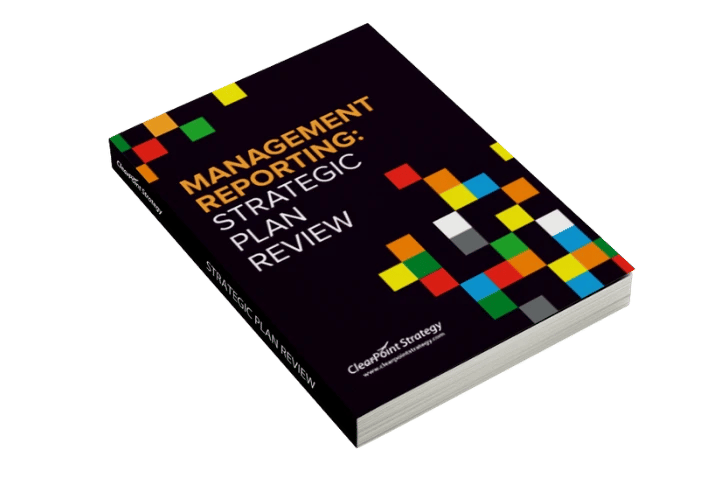
- Run the retrospective with the free annual plan review guide. Then share the finished plan through strategy maps and dashboards so everyone sees it.
Back when I was a strategy consultant, I saw many an annual planning process that felt like a marathon with no finish line. Meetings stretched on, teams struggled to consolidate data, and priorities shifted as often as the wind. Those teams needed a structured approach and the right tools. That experience shapes how I approach annual planning today.
Annual planning aligns your organization on priorities, budgets, and metrics. It’s the roadmap that keeps your team moving in the same direction. Without a checklist, the process fragments: steps get missed, messages get crossed, and effort gets wasted.
Pairing the checklist below with software like ClearPoint keeps every step tied to your organization’s goals.
Step-By-Step Annual Planning Checklist
1. Review the Previous Year’s Performance
Annual planning starts with a retrospective: what worked last year and what didn’t. Analyze your KPIs, project outcomes, and budget performance to see where you succeeded and where to improve. Reporting features let you review historical data, compare performance trends, and build dashboards that look back on the year.
Look at the strategy itself, not only the numbers. Our strategy review guide starts with one question: “Is our big-picture strategy still valid?” Then check each objective against actual data, not gut feeling. Expect to shift, remove or add initiatives more often than you change objectives or measures.
Get the management guide to your annual plan review
2. Set or Refine Strategic Goals
With last year in view, set your priorities for the year ahead. Make the goals SMART (specific, measurable, achievable, relevant, and time-bound) and align them with your organization’s vision.
Planning software lets you set goals at every level of the organization and link them to strategies and KPIs. Everyone can see their role in the shared objectives.
Our SMART goals template starts each goal by naming its owner. The owner can then hand the goal’s KPIs to other team members. Check that each KPI is a measure and not a project. A project can be answered “yes” or “no” or tracked by percent complete, while a measure is tracked over time.
3. Build a Detailed Budget
Your goals need funding. A budget informed by past spending helps you allocate resources well.
Budget tracking integrations connect your financial data to your strategic goals, so you can see where resources go.
Two habits from our guide to linking budget to strategy help here. First, compare last year’s budget to your plans, not to repeat it, but to check your assumptions. Second, consider a StratEx budget: a separate, cross-departmental part of the budget that funds strategic projects. During the year, revisit budgets after strategy meetings so funding follows the decisions you make there.
4. Develop an Action Plan
Break your strategic goals into projects or initiatives. Assign owners, timelines, and milestones so everyone knows who does what by when.
A central platform tracks assignments, progress, and outcomes in one place.
The City of St. Albert, Alberta, connects its yearly work to its longer plan this way. Every four years, a newly elected council writes a strategic plan. That plan is mirrored in a corporate business plan with two parts: projects linked to the council’s plan, and internal initiatives that support the delivery of services. In ClearPoint, St. Albert built a business plan scorecard where each initiative is linked to both a council priority and an internal priority. Each year the team retires old projects, adds new ones and extends timeframes in the same place.
5. Establish a Monitoring and Reporting Framework
Determine how you’ll measure progress throughout the year. Establish key performance indicators (KPIs) and set a cadence for reviews to stay on track.
Automate KPI tracking and reporting, and use artificial intelligence (AI) for analysis. You spend less time on administration and see performance in real time.
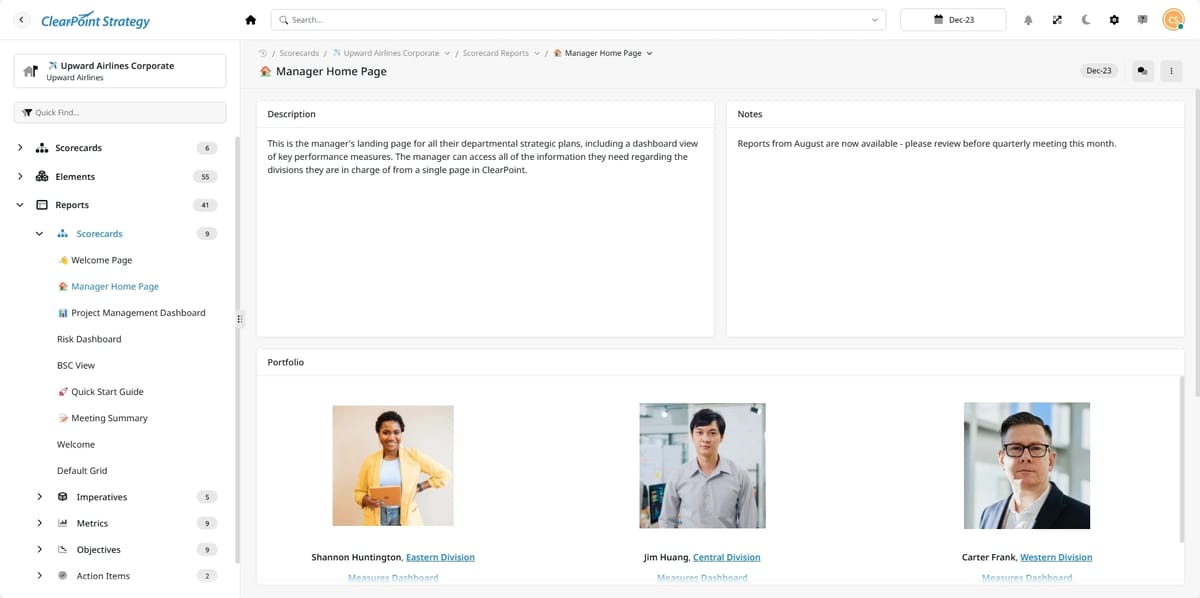
Set the reporting cadence before the year starts. St. Albert reports on its plans quarterly and reviews and updates both plans annually. Before ClearPoint, the team collected updates through emails and Excel sheets and compiled them into a Word document, so the report had to be rebuilt every quarter. Moving to ClearPoint cut report creation from an estimated 100 hours to just 25.
6. Communicate the Plan
Even the best plan is useless if people don’t know it. Share your annual plan across the organization so people align behind it and stay engaged.
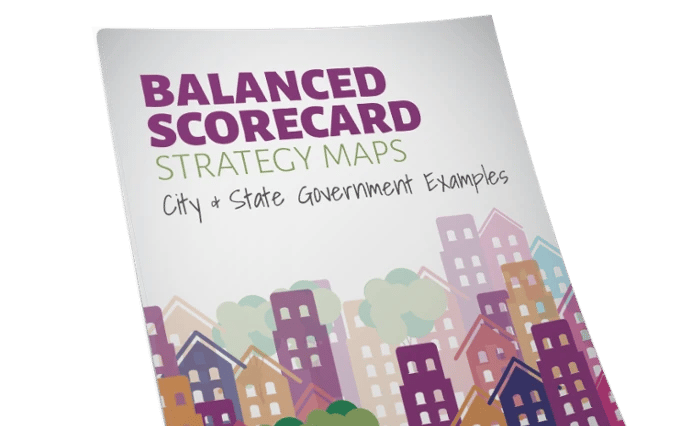
Strategy maps and dashboards show your plan visually, so stakeholders understand it and buy in.
Use more than one channel. At the time of our case study, the United Nations Federal Credit Union (UNFCU) shared its strategic plan and Balanced Scorecard with all staff through videos, progress reports, brochures, posters and its internal corporate social network. Its strategy team gave every employee a journal with the corporate strategy map printed inside the cover. UNFCU evaluated its data monthly, and managers used ClearPoint to run quarterly strategy review meetings.
Software for Annual Planning
ClearPoint Strategy was built to simplify annual planning. It integrates data, supports collaboration, and automates routine tasks, so teams can focus on delivering results.
Annual planning in ClearPoint includes:
- Centralized Goal Management: Goals, projects, and metrics aligned in one platform.
- Automated Reporting: Pre-configured, customizable reports replace manual spreadsheets.
- Real-Time Dashboards: Get a clear view of your strategy’s status at any point in time.
Start Simplifying Your Annual Planning
The most effective annual plans draw a clear line from daily operations to strategic impact, so every project and expense supports the organization's goals. Once you’ve followed this checklist, talk with one of our strategy experts about running your plan in ClearPoint.
Common questions
What are the steps in an annual planning checklist?
A strong annual plan follows six steps: review the previous year's performance, set or refine strategic goals, build a detailed budget, develop an action plan, establish a monitoring and reporting framework, and communicate the plan across the organization. Together they create a clear path from operational activity to strategic impact.
Why start annual planning with a review of last year?
Planning starts with a retrospective because last year's results show what worked and what did not. Analyzing KPIs, project outcomes, and budget performance reveals where to double down and where to improve, grounding the year ahead in evidence rather than assumptions and helping set realistic priorities.
What makes a strategic goal effective in annual planning?
Effective goals are SMART: specific, measurable, achievable, relevant, and time-bound, and aligned with the organization's vision. This clarity makes priorities understandable and trackable, so teams know exactly what success looks like and progress can be measured throughout the year rather than judged only at year-end.
How does software help with annual planning?
Software simplifies annual planning by integrating data, fostering collaboration, and automating routine tasks like KPI tracking and reporting. It connects budgets to strategic goals, monitors project assignments and milestones, and presents progress visually through strategy maps and dashboards, freeing teams to focus on delivering results rather than managing spreadsheets.
Why is communicating the annual plan so important?
Even the best plan is useless if it is not effectively communicated. Sharing the plan across the organization fosters alignment, engagement, and motivation, ensuring everyone understands the priorities and how their work contributes. Communication tools such as strategy maps and dashboards make the plan visible and easy to rally around.


%2520Strategy%2520vs%2520Tactics%2520Differences%252C%2520Examples%2520%2526%2520How%2520to%2520Track%2520Both.jpg)















.png)


.png)

.webp)


%2520OKRs%2520vs%2520KPIs%2520Breaking%2520Down%2520the%2520Difference.jpg)