
.svg)
%2520My%2520Top%252012%2520Favorite%2520ClearPoint%2520Features%2520as%2520a%2520Product%2520Manager.png)
Twelve ClearPoint features a product manager relies on, from AI-powered reporting tools and workspaces to approvals and archiving, plus a preview of ClearPoint Next.
- Set up reporting workflows to automate update requests and reminders. They remove manual follow-ups and get reports checked before they reach leadership.
- Add approval rules per scorecard where data needs oversight. Pending indicators and a My Approvals page keep unauthorized changes out.
- Archive old scorecards, reporting periods and custom fields. Large accounts stay fast and uncluttered.
- Make bulk edits in Excel with import/export on Manage pages. Use formulas and filters, then import the file back to apply every change at once.
- Draft summaries and exception reports with ClearPoint AI, starting from these 5 AI prompts. They take the manual writing out of reporting.
As a Product Manager at ClearPoint Strategy, I’m always looking for ways to make strategy execution faster, easier, and more effective for our users. Whether it’s improving workflows, reporting, or data management, my goal is to remove friction and help teams focus on driving results.
Here are my favorite features in ClearPoint, the ones that make the biggest difference for our customers. Plus, I’ve included a sneak peek of what’s coming in ClearPoint Next and a bonus feature that I’m especially excited about!
1. AI-Powered Strategy & Reporting Tools
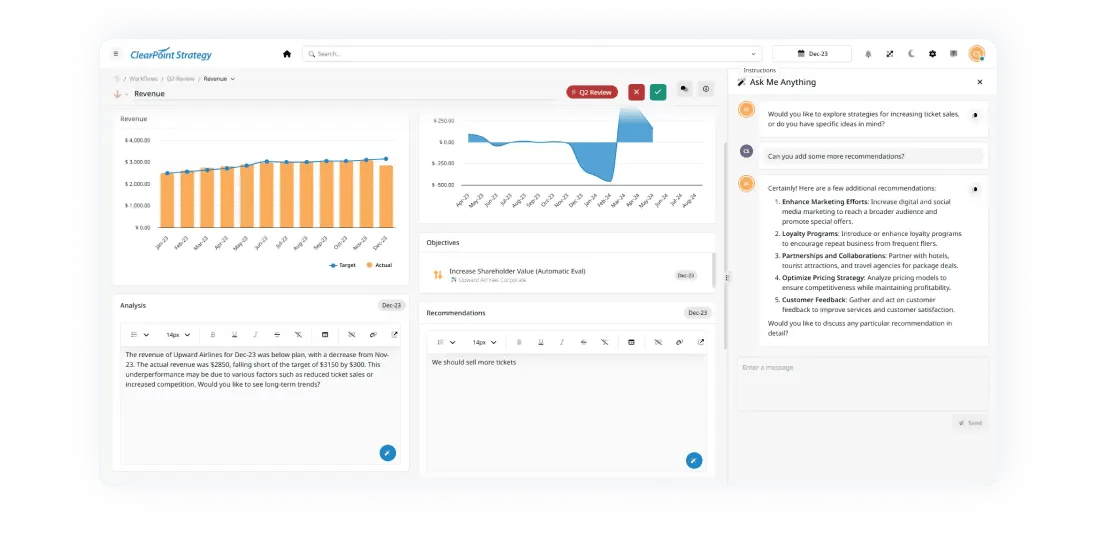
🚀 Why I love it: AI has changed how teams execute strategy. It automates time-consuming tasks, surfaces insights, and makes reporting easier.
✨ My Favorite Artificial Intelligence Capabilities:
- AI Strategy Assistants to help structure and refine your strategy and simplify building your account.
- AI-Generated Milestones & Action Items that recommend next steps.
- AI-Powered Executive Summaries that analyze your scorecard and provide key takeaways.
- AI Exception Reports summarizing red status objectives for leadership review.
- AI Writing Assistance to generate, refine, and format text for analysis, recommendations, and reports.
- AI Chat Transcripts, so you can reference past AI interactions.
🎯 Why it matters: ClearPoint AI helps teams save time, focus on insights, and create better reports faster.
Check Out 5 AI Prompts Every Strategy Manager Should Be Using
2. Workspaces
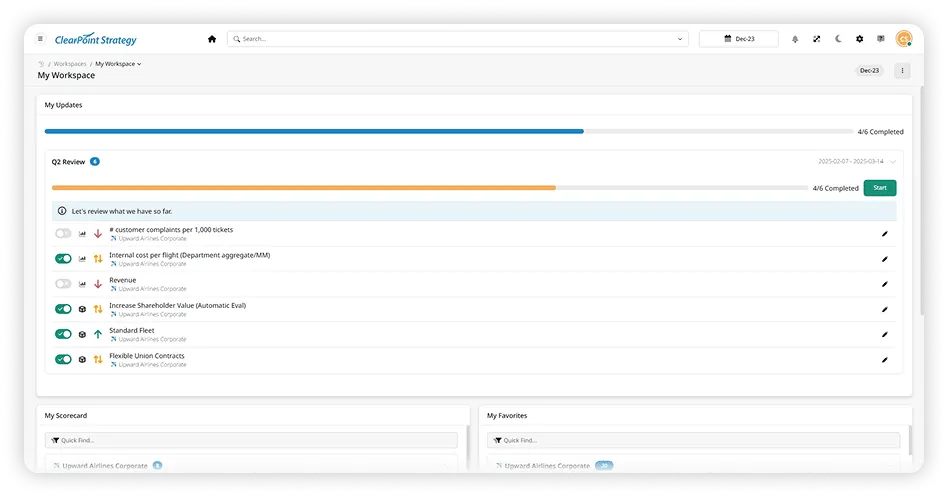
📌 Why I love it: Workspaces bring everything you need into one place, so you don’t have to click through multiple pages. It’s one personalized page with your latest updates, items you own, favorited elements, notifications, key reports, and charts.
✨ The Best Part: With everything in one place, it’s easy to stay organized and on top of your priorities. Updates, critical reports, and key performance indicators are all right there.
🎯 Why it matters: Workspaces help users focus on key tasks, reduce clutter, and improve productivity.
3. Reporting Workflows
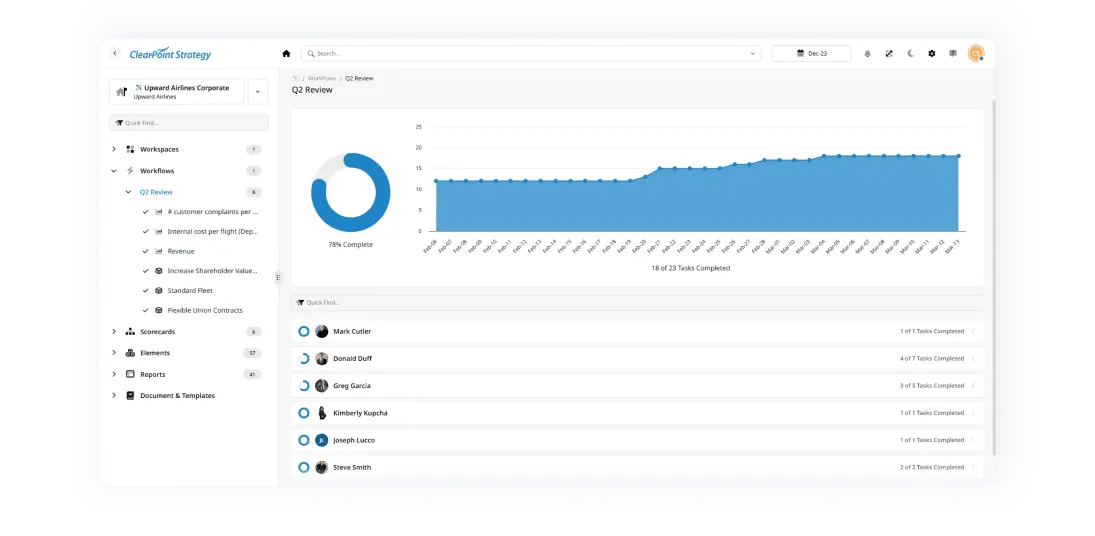
📌 Why I love it: Keeping reporting on track can be a challenge, especially for large teams. Reporting Workflows automate the data collection and review process, so updates arrive on time with the right level of oversight.
✨ Best Parts:
- Automate update requests and reminders.
- Assign responsibilities so the right team members provide input at each stage.
- Admins can set custom instructions to guide users through the reporting process.
- Users can collaborate in real time with discussions, comments, and @mentions to tag teammates and request input.
- Track progress with real-time status indicators, making it easy to see what’s complete and what’s pending.
🎯 Why it matters: Reporting Workflows end manual follow-ups, keep teams accountable, and make sure reports are complete and accurate before they reach leadership. Built-in collaboration tools let teams work on updates together.
4. Approvals
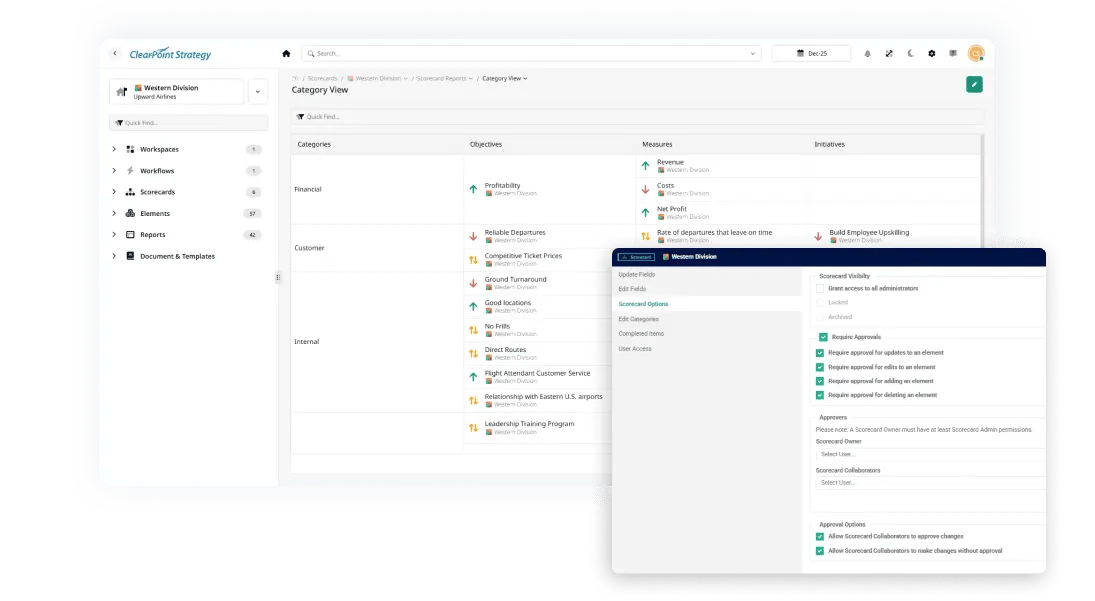
📌 Why I love it: Organizations need oversight of strategic updates, and this feature gives them a structured, transparent approval process.
✨ Best Part: With configurable approval rules per scorecard, pending approval indicators, and a centralized My Approvals page, it’s easy to track and manage approvals in one place.
🎯 Why it matters: It speeds up decisions, prevents unauthorized changes, and keeps your strategy data accurate and accountable.
5. HTML Reports & Briefing Books

📌 Why I love it: ClearPoint excels at strategy reporting, and HTML reports are interactive and shareable.
✨ Best Part: Interactive HTML exports, last-used report tracking, and better formatting for professional presentations.
🎯 Why it matters: Reports are more engaging and easier to distribute.
6. Archiving for Scorecards, Reporting Periods & Custom Fields
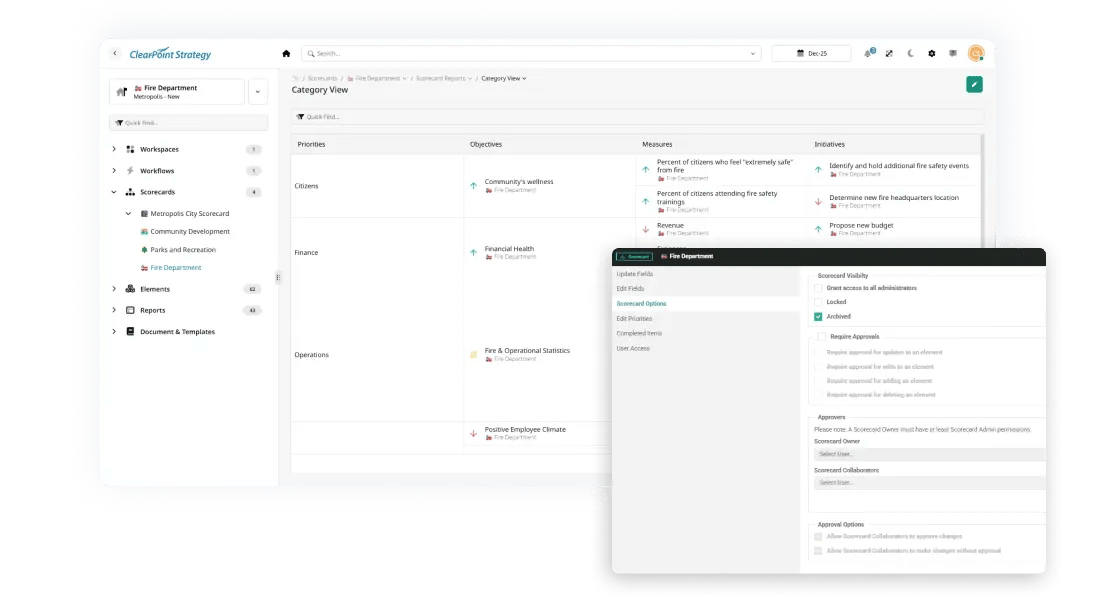
📌 Why I love it: Large accounts with large volumes of data can now archive older items to improve system performance and usability.
✨ Best Part: Admins can archive scorecards, reporting periods, and custom fields, which keeps accounts clean.
🎯 Why it matters: It prevents slowdowns and keeps strategy data organized.
7. ClearPoint Teams
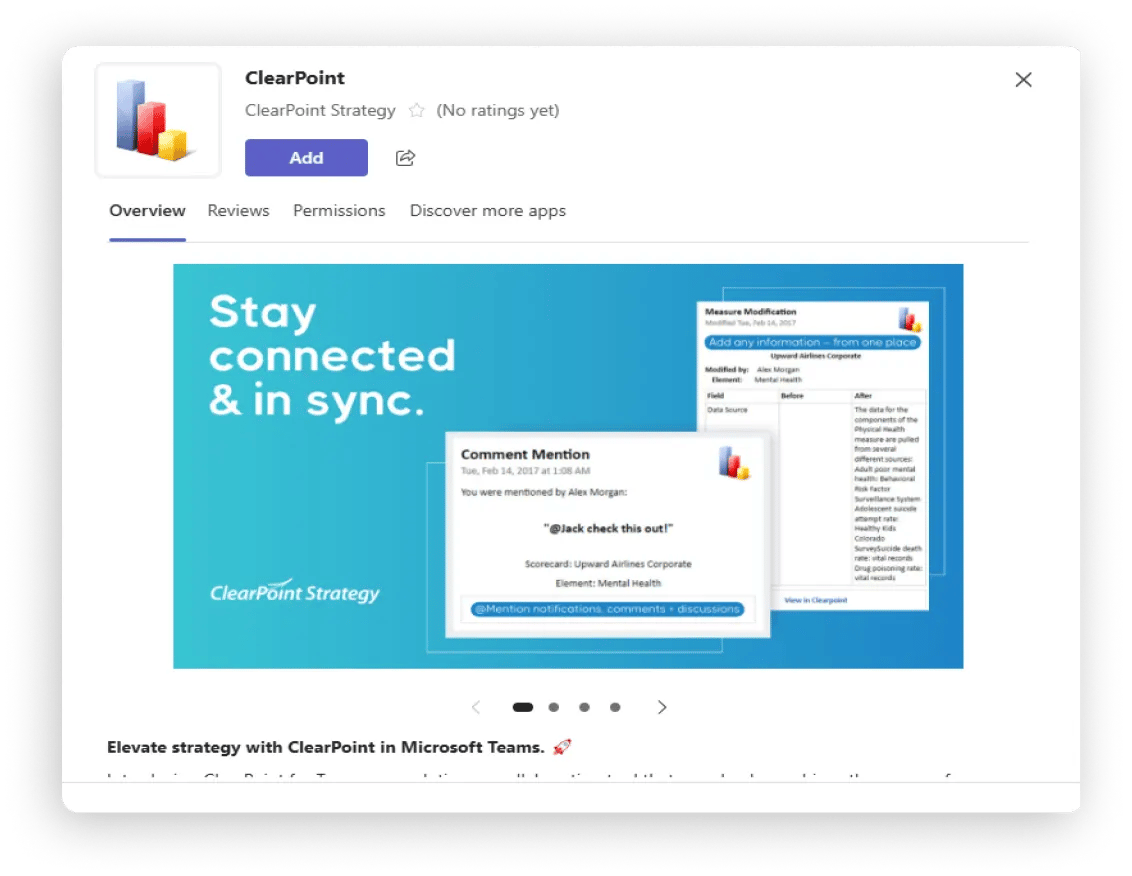
📌 Why I love it: ClearPoint Teams keeps you connected by delivering real-time notifications, alerts, exports, and reminders directly in Microsoft Teams. Users can submit and review updates without leaving MS Teams, which makes collaboration simpler.
✨ Best Part: Instead of switching between platforms, you can receive key strategy updates, get notified about important changes, and take action, all within Teams.
🎯 Why it matters: The integration improves communication, keeps teams aligned, and keeps updates flowing in real time.
8. Modernized Charts & Data Visualization
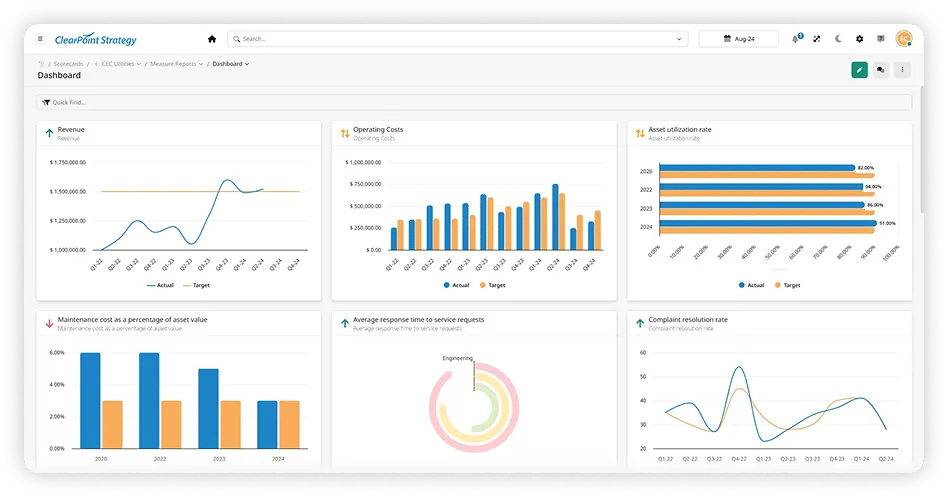
📌 Why I love it: The new chart suite makes ClearPoint’s visualizations more modern, professional, and readable.
✨ Best Parts:
- Updated Column, Bar, Gauge, Radial, Pie, and Combo Charts.
- Cleaner, sharper designs with better contrast and labels.
- More interactive and engaging for reports.
🎯 Why it matters: Data storytelling matters. These charts help users communicate insights more clearly.
🚀 Sneak Peek: Latest Innovations in ClearPoint Next! 🚀
These upcoming features in ClearPoint Next are some of the ones I’m most excited about.
9. Kanban Board View for Manage Pages
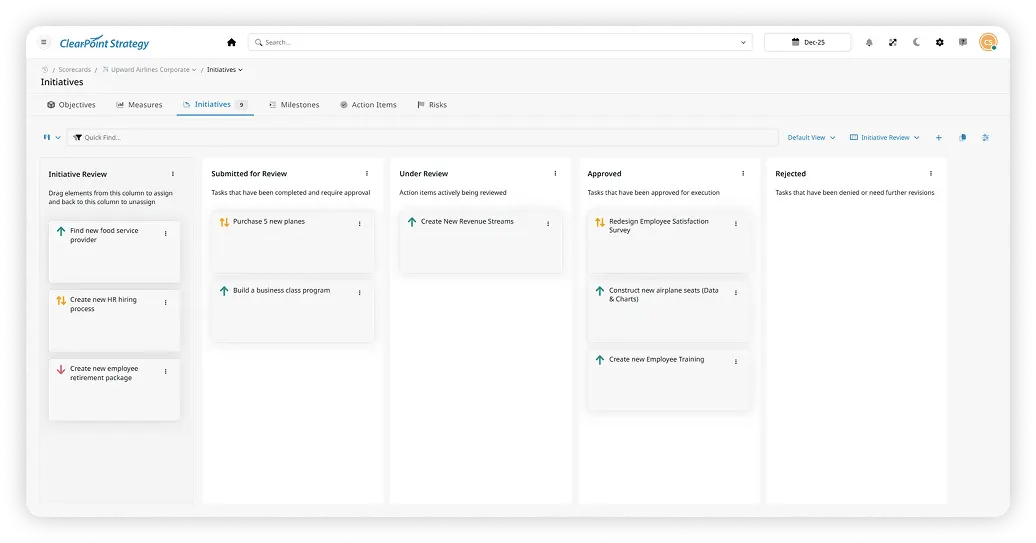
📌 Why I love it: Kanban Boards bring strategy execution into a workflow-friendly format that users love.
✨ The Best Parts:
- Drag-and-drop tasks to update status easily.
- Customizable columns that adapt to different workflows.
- Integrated with reports & detail pages for easy tracking.
🎯 Why it matters: It makes strategy execution more agile.
10. New Explorer & Dashboard Views for Your Elements
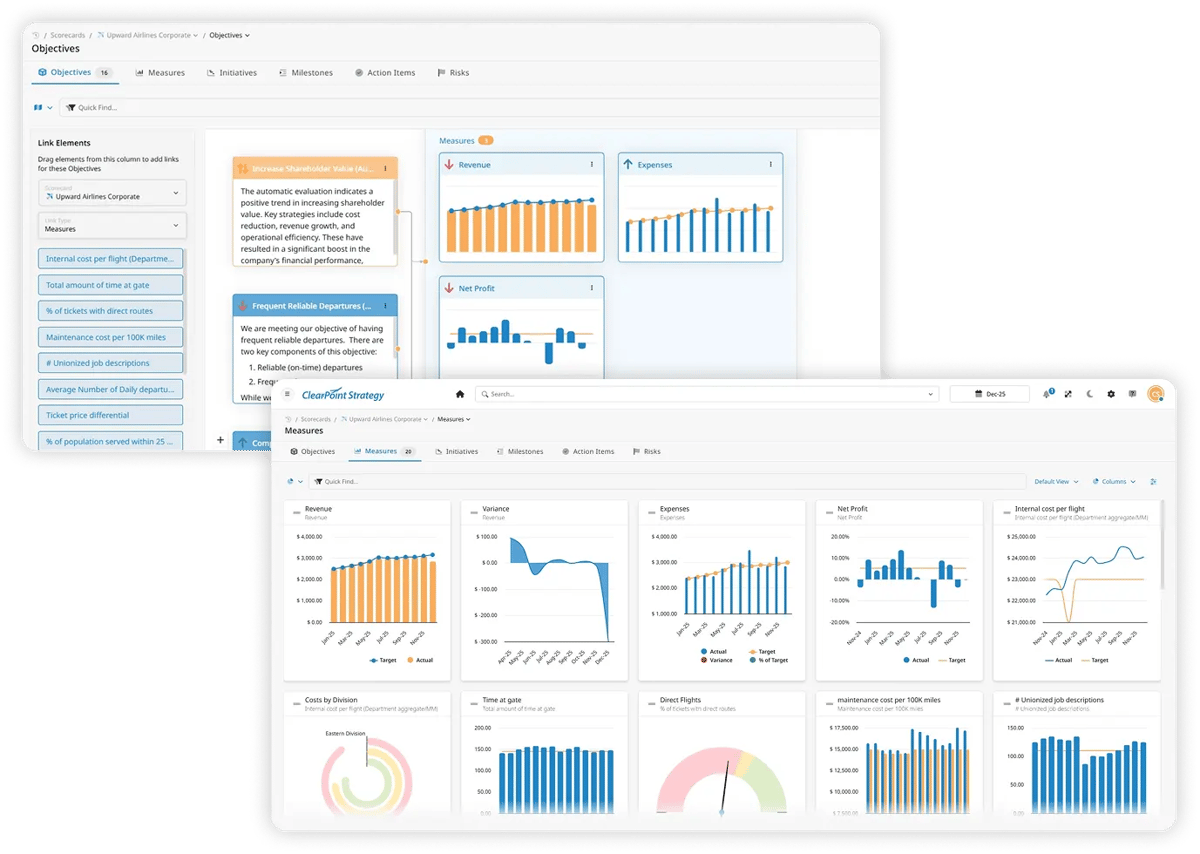
📌 Why I love it: More ways to see and interact with strategic data means more clarity and control.
✨ Best Part:
- Explorer View: See an interactive tree or link map of your entire scorecard and strategy, with the relationships between elements visible at a glance. Drag and drop linked elements to refine connections, and drill into links to see how different areas of your strategy are performing.
- Dashboard View: Display all charts for one element type within a scorecard. You can analyze trends and compare performance metrics across multiple elements in one view.
🎯 Why it matters: Helps teams see relationships, track progress, and make better decisions.
11. Version History for All Update Fields
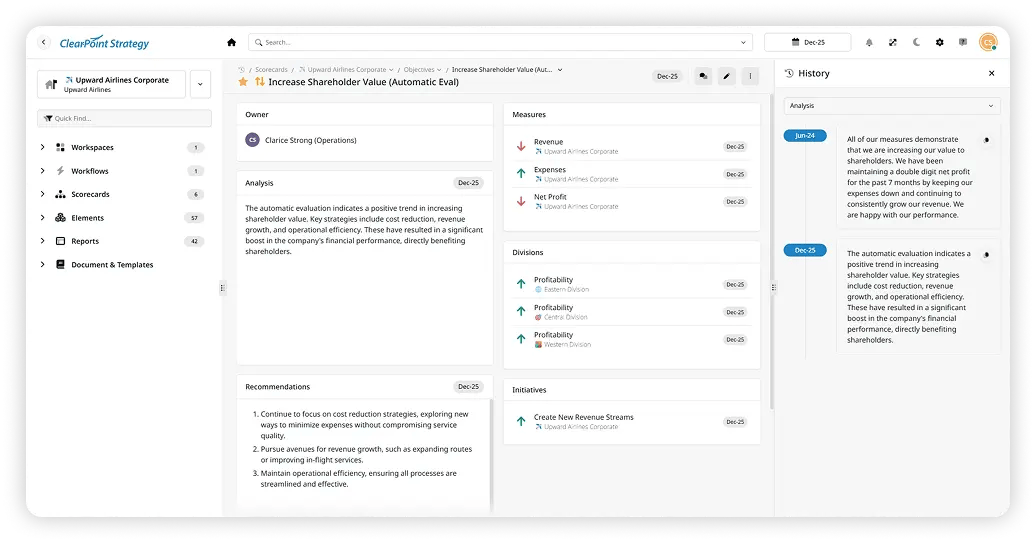
📌 Why I love it: Tracking data changes keeps strategy execution accurate, transparent, and accountable. With Version History, you can see exactly how and when updates were made, so it’s easier to track progress and understand past decisions.
✨ Best Part: Click the period tag on any pod to see a detailed history of updates. You can reference past changes, compare previous values, and restore information when needed, so no critical update is lost and reporting stays accurate.
🎯 Why it matters: Version History gives you a clear audit trail for all updates. When you validate past decisions, troubleshoot discrepancies, or prepare executive reports, you have the history you need to make informed choices.
12. New Import/Export on Manage Pages
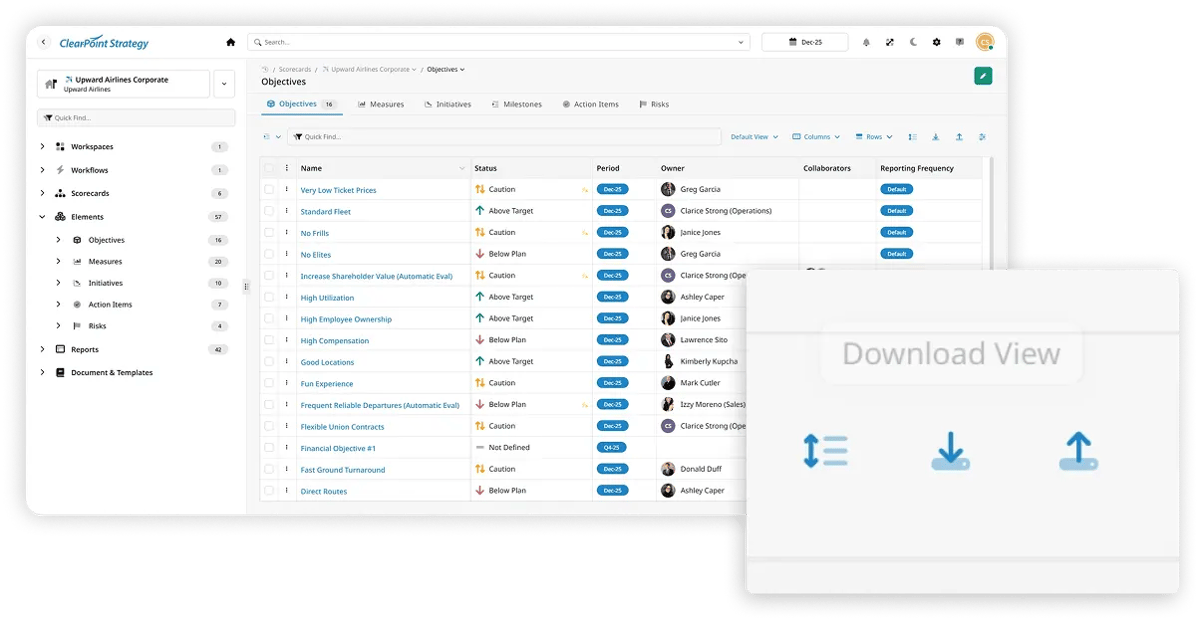
📌 Why I love it: Bulk updates just got WAY easier with import/export on Manage Pages. You can now update data in bulk using Excel.
✨ Best Part:
- Quickly import/export large data sets across elements to Excel, where you can use formulas, filters, sorting, and other Excel features to make bulk changes quickly.
- When you’re done, import the file back into ClearPoint to apply your changes.
- Large edits take less manual work and stay consistent and accurate across your reports.
🎯 Why it matters: It replaces tedious one-by-one updates, saving hours of work and improving accuracy.
My Final Thoughts
These Top 12 Features represent the best of ClearPoint software today and what’s coming next. As a Product Manager, I love features that save time and make reporting clearer, and these do exactly that.
Common questions




%2520Strategy%2520vs%2520Tactics%2520Differences%252C%2520Examples%2520%2526%2520How%2520to%2520Track%2520Both.jpg)
















.png)



.png)






.webp)




%2520OKRs%2520vs%2520KPIs%2520Breaking%2520Down%2520the%2520Difference.jpg)